

A practical 15-minute website optimization workflow using AI, Core Web Vitals, SEO checks, accessibility review, conversion fixes and content improvements.
Last checked: May 31, 2026. AI can speed up diagnosis, prioritization and content cleanup, but you still need real measurement from tools such as PageSpeed Insights, Core Web Vitals reports, analytics, Search Console and server logs.
Quick answer
You can optimize a website with AI in 15 minutes by running one performance and SEO check, asking AI to rank the biggest issues, applying one high-impact fix and re-testing. You will not fix an entire site in 15 minutes, but you can find the next best action quickly.
The best quick wins are usually image compression, clearer page titles, better headings, broken link fixes, improved calls to action, local proof, missing metadata and reducing heavy scripts.
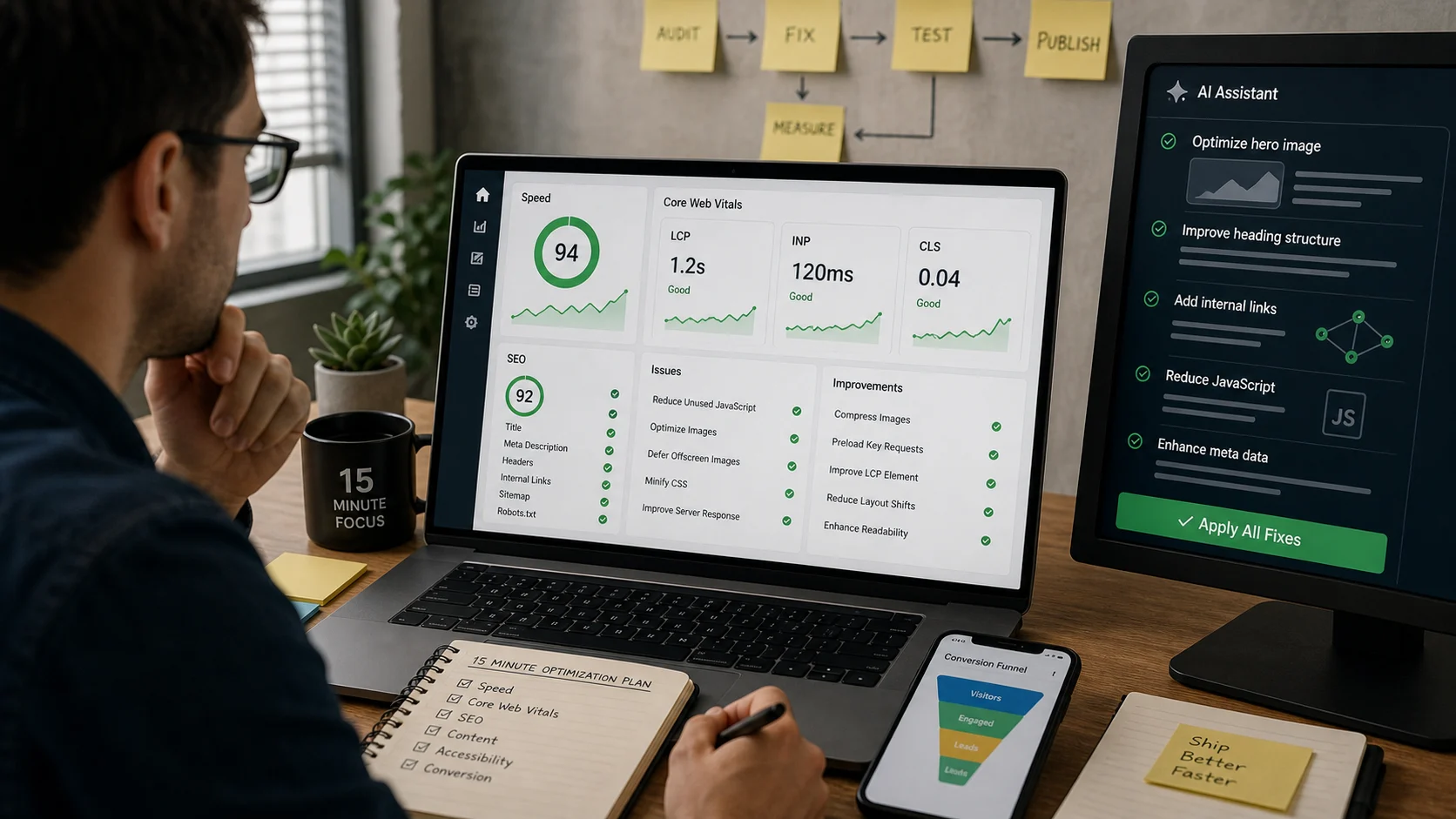
The 15-minute workflow
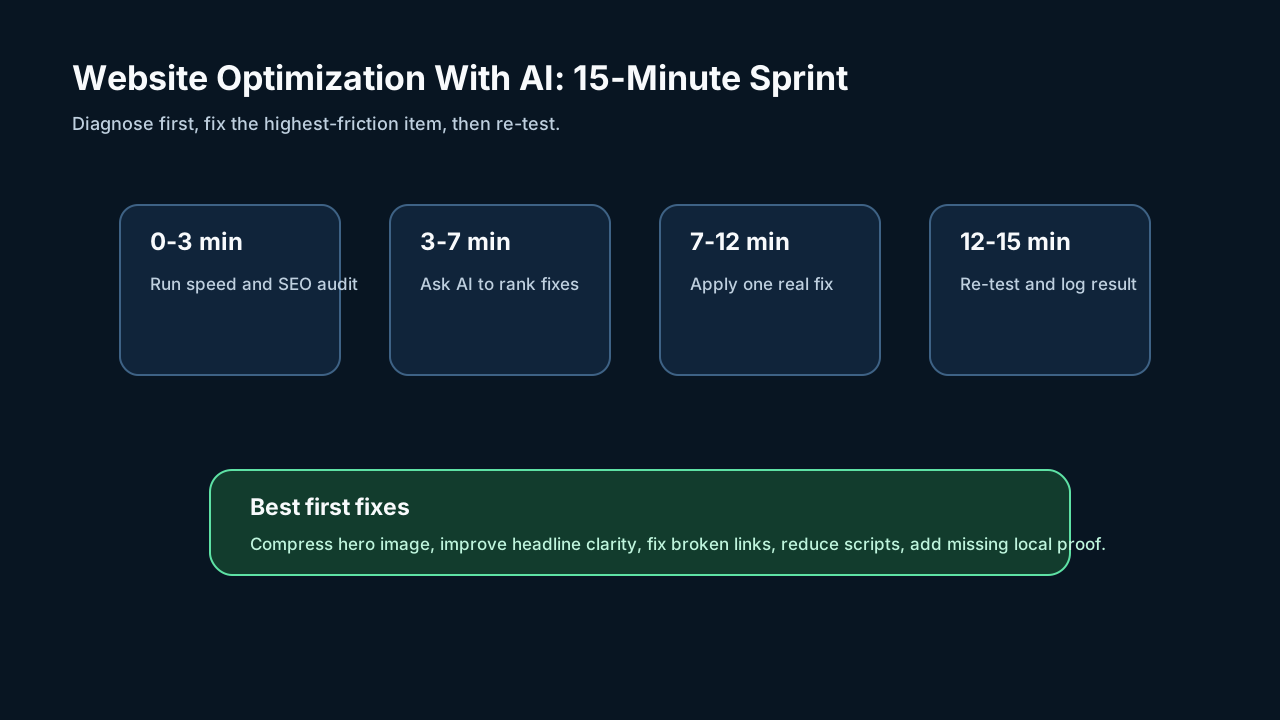
Minute 0-3: Run the audit
Use PageSpeed Insights or a similar tool and capture:
- Largest Contentful Paint.
- Interaction to Next Paint.
- Cumulative Layout Shift.
- Mobile and desktop scores.
- Major opportunities.
- Screenshot of the tested page.
Also copy the page title, meta description, H1 and top call to action.
Minute 3-7: Ask AI to prioritize
Prompt:
``text Act as a website optimization analyst. Based on this audit, identify the three highest-impact fixes for a small business website. Rank them by likely user impact, SEO impact, implementation difficulty and risk. Do not suggest changes that require guessing business facts. ``
Minute 7-12: Apply one real fix
Choose one fix you can safely complete now:
- Compress or resize the hero image.
- Replace vague headline text with a clear offer.
- Add missing title and meta description.
- Fix a broken internal link.
- Move heavy third-party scripts lower on the page.
- Add a clear call button or form link.
- Add trust proof near the first conversion point.
Minute 12-15: Re-test
Run the page again and log:
- What changed.
- Before and after score.
- Before and after user-facing result.
- What still needs developer work.
What AI is good at
AI is useful for:
- Summarizing long audit reports.
- Ranking fixes by likely impact.
- Drafting better titles and descriptions.
- Finding unclear calls to action.
- Rewriting confusing copy.
- Creating alt text drafts for human review.
- Turning analytics notes into a checklist.
- Explaining technical issues to non-technical owners.
What AI is bad at
AI should not be trusted alone for:
- Measuring real site speed.
- Knowing your exact CMS or server setup.
- Making code changes without testing.
- Inventing customer claims.
- Replacing accessibility testing.
- Deciding business priorities without revenue data.
Best quick fixes by page type
| Page type | Best 15-minute fix |
|---|---|
| Homepage | Clearer headline and compressed hero image |
| Service page | Add proof, FAQs and a stronger call to action |
| Product page | Improve photos, benefits and shipping/return clarity |
| Blog post | Add summary, internal links and updated facts |
| Local landing page | Add accurate service area, reviews and contact action |
Bottom line
AI makes website optimization faster because it helps you interpret audits and prioritize. It does not replace measurement. The best 15-minute improvement is one real fix you can test, not a long AI-generated report.
Sources
- PageSpeed Insights: pagespeed.web.dev
- Core Web Vitals overview: web.dev
- Largest Contentful Paint: web.dev
- Interaction to Next Paint: web.dev
- Cumulative Layout Shift: web.dev
- Google SEO starter guide: developers.google.com
Before you move on
Step-by-step recovery. Use this short checklist to turn the article into action.
- Start with the official app or account page, not a link from a message.
- Change exposed passwords and review active sessions.
- Save evidence if money, identity documents, or business accounts are involved.
This guide is written for practical user safety. For account, platform, or legal decisions, confirm critical steps with the official help center or your service provider.