A detailed SEO guide to agentic coding, covering what it means, how AI coding agents work, Claude Code, OpenAI Codex, GitHub Copilot cloud agent, Google Jules, workflows, benefits, risks, official media, videos, and best practices.
Last checked: May 21, 2026. This article uses official sources from Anthropic, Claude Code, OpenAI Codex, GitHub Copilot, Google Jules, and Google Gemini CLI where relevant. Feature image credit: official Claude Code / agentic coding image from Anthropic's "Introduction to agentic coding" page. Credit: Anthropic.
Agentic coding is the practice of using an AI coding agent to complete software engineering tasks with a degree of autonomy. Instead of asking an AI assistant for one code snippet at a time, the developer gives the agent a goal, context, boundaries, and verification instructions. The agent can inspect the codebase, make a plan, edit files, run commands, read test failures, revise its work, and return a result for human review.
This is a major shift from traditional AI code completion. Autocomplete helps at the cursor. Chat helps with explanations and snippets. Agentic coding works at the task level. It can handle a bug fix, a refactor, a migration, documentation update, test generation task, dependency upgrade, or pull request draft across multiple files. The human still owns judgment, architecture, review, security, and shipping decisions, but the agent performs more of the implementation loop.
The term became popular because tools such as Anthropic Claude Code, OpenAI Codex, GitHub Copilot cloud agent and agent mode, Google Jules, Gemini CLI, Cursor, Windsurf, OpenCode, and other AI development systems moved beyond suggestion into action. These systems can use real developer tools. They can run tests, use Git, inspect logs, search repositories, follow project instructions, and sometimes work in parallel inside cloud environments or local terminals.
This detailed agentic coding guide explains what agentic coding means, how it works, when to use it, where it fails, how to evaluate tools, how to write better prompts, how to protect your codebase, and how teams can adopt it without losing engineering discipline. It includes official media, videos, source links, SEO-focused sections, and practical checklists.
Quick Answer: What Is Agentic Coding?
Agentic coding means delegating software engineering tasks to an AI coding agent that can plan, act, verify, and iterate using development tools. A developer describes the outcome, and the agent works through the repository to produce a tested change or useful analysis.
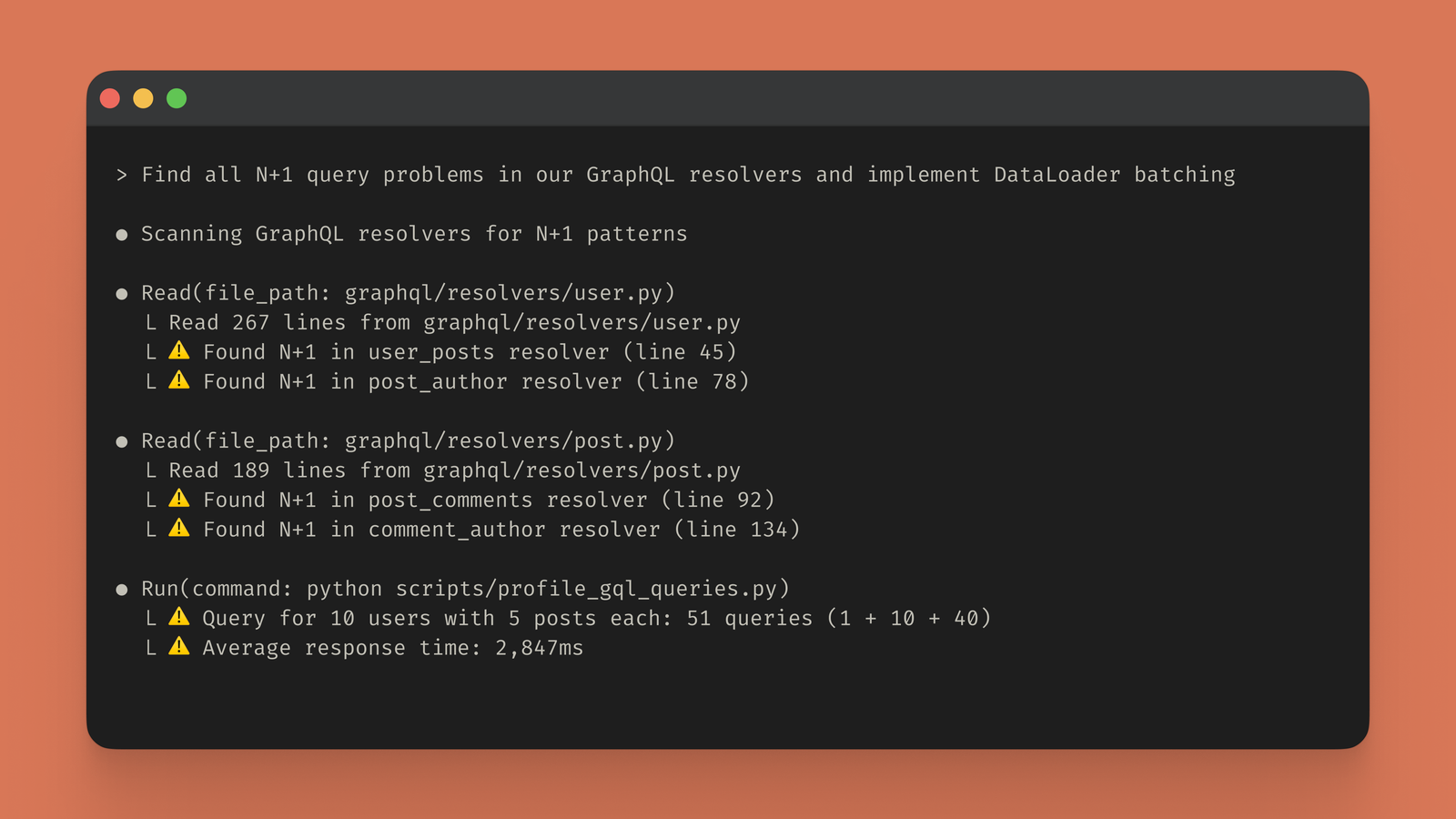
The key word is "agentic." In this context, an agentic system is not just responding once. It works toward a goal through a sequence of actions. Anthropic's Claude Code product page describes this idea clearly: an agentic coding system reads a codebase, makes changes across files, runs tests, and delivers committed code. GitHub's Copilot cloud agent docs describe a similar loop: it can research a repository, create a plan, make code changes on a branch, and optionally open a pull request. OpenAI describes Codex as a coding agent that helps developers build and ship with AI, with support for real engineering tasks, parallel work, cloud environments, and code review workflows.
In plain language, agentic coding is AI-assisted software work where the AI does more than suggest. It executes a workflow, checks its output, and hands back a result.
Official Media and Videos
The image below is an official Anthropic Claude Code media asset showing a terminal-based agentic coding workflow. It is included as supporting media with credit.
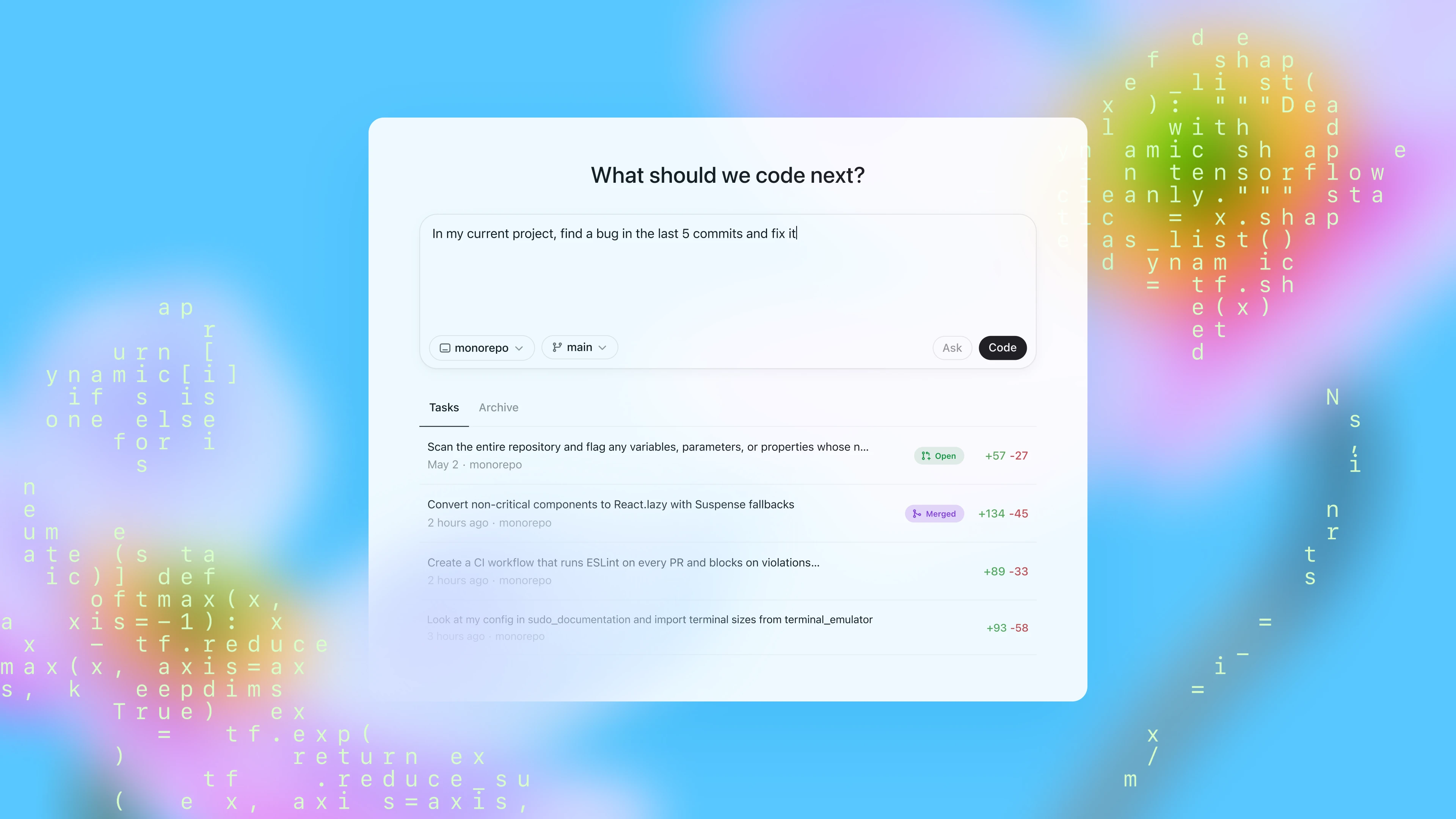
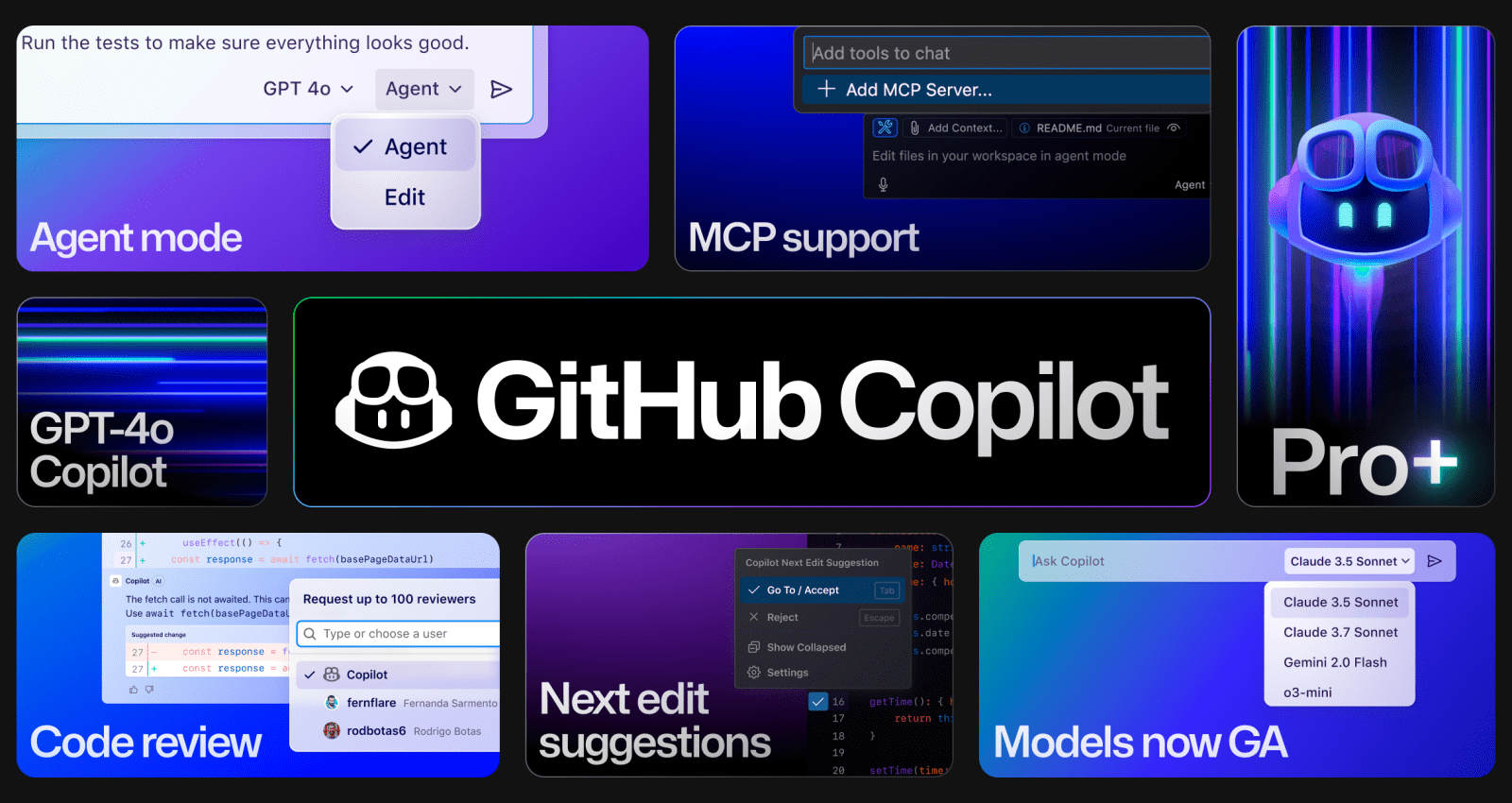
OpenAI and GitHub have also published official product media for coding-agent workflows. These images are useful for understanding the broader market shift from autocomplete to agentic software engineering.
The following official Anthropic / Claude videos are useful companion resources for learning agentic coding patterns with Claude Code.
Agentic Coding vs Traditional AI Coding
Traditional AI coding tools are usually reactive. They complete the next line, generate a function, answer a question, or rewrite a small snippet. They are useful, but the developer performs most of the workflow: finding files, deciding the implementation path, editing related modules, running tests, reading failures, and integrating the result.
Agentic coding shifts more of that workflow to the AI. The agent can look around the repository, identify relevant files, propose an implementation plan, make edits, run checks, inspect failures, and revise. That does not mean the agent is always right. It means the unit of work changes from "write this function" to "fix this issue and verify it."
The difference matters because real software engineering is not only code generation. It is context management, tradeoff analysis, tool use, testing, debugging, integration, review, and communication. Agentic coding tools try to participate in that whole loop.
The most useful comparison is:
- Code completion predicts what you might type next.
- AI chat explains, drafts, and answers.
- Agentic coding plans and executes a development task.
This is why agentic coding feels more like delegating work to a junior engineer or pair-programming partner than using a smarter autocomplete. The agent can be productive, but it needs clear goals, constraints, review, and verification.
How Agentic Coding Works
Most agentic coding systems follow a loop: understand the task, gather context, plan, edit, run tools, inspect output, revise, and report. Different products expose this loop through a terminal, IDE, cloud workspace, GitHub issue, pull request, chat interface, or background automation.
The agent typically needs access to:
- Repository files and project structure.
- Search tools.
- A file editor or patch system.
- A shell or command runner.
- Test, lint, build, and typecheck commands.
- Git status and diff tools.
- Project instructions such as
AGENTS.md,CLAUDE.md, or custom Copilot instructions. - Optional integrations such as GitHub, GitLab, Jira, Linear, Slack, MCP servers, docs, browser tools, or internal APIs.
The quality of agentic coding depends heavily on context. If the agent understands the project conventions, test commands, architecture, naming patterns, and expected behavior, it can produce better work. If the repository is messy, undocumented, untested, or full of inconsistent patterns, the agent may copy bad examples or make fragile changes.
This is why agentic coding is not only a tooling change. It rewards mature software engineering practices: clear tests, readable code, stable build commands, good docs, small tasks, useful issue descriptions, and strong review culture.
Why Agentic Coding Is Growing
Agentic coding is growing because software teams have more work than time. Backlogs contain bug fixes, migrations, dependency updates, test gaps, documentation tasks, accessibility fixes, performance cleanup, type improvements, analytics events, API changes, and refactors that are important but often delayed.
AI coding agents are well suited to many of these tasks because they can grind through context, apply known patterns, and iterate with tooling. They are especially useful when requirements are clear and the repository already shows examples of the desired pattern.
Several market signals explain the growth:
- Anthropic describes Claude Code as an agentic coding system rather than a simple assistant.
- OpenAI presents Codex as a coding agent for real engineering work, including features, refactors, migrations, and review.
- GitHub documents Copilot cloud agent as an autonomous GitHub Actions-powered agent that can work from issues and create pull requests.
- Google describes Jules as an asynchronous coding agent and Gemini CLI as an open-source AI agent in the terminal.
- Developer tools increasingly support model context, skills, hooks, memory, repository instructions, MCP servers, and cloud workspaces.
The pattern is clear: AI coding tools are moving from suggestion surfaces into execution environments.
Common Agentic Coding Tools
Agentic coding is a category, not a single product. The best tool depends on where you want the agent to work.
Claude Code is Anthropic's agentic coding system. It is known for terminal-first workflows, repository understanding, multi-file edits, test loops, integrations, and project instruction files. Anthropic's product page emphasizes that Claude Code is agentic, not autocomplete, and that developers control autonomy through permissions.
OpenAI Codex is OpenAI's coding agent. OpenAI describes Codex as a coding partner that helps build and ship with AI. The current product positioning includes real engineering work, multi-agent workflows, built-in worktrees, cloud environments, skills, automations, and code review support.
GitHub Copilot cloud agent is GitHub's autonomous coding agent that works in a GitHub Actions-powered environment. GitHub's docs distinguish it from IDE agent mode: the cloud agent works on assigned tasks through issues or prompts, researches the repository, makes changes on a branch, and can open a pull request.
Google Jules is Google's asynchronous coding agent. Google's official pages describe it as an agent that does coding tasks in the background, works with repositories, and supports async development. Gemini CLI is Google's open-source terminal AI agent that brings Gemini into developer workflows.
Other tools such as Cursor, Windsurf, OpenCode, Replit, and several model-router-based workflows also support agentic coding patterns. Some are IDE-first, some are terminal-first, some are cloud-first, and some are open-source.
Best Tasks for Agentic Coding
Agentic coding works best when the goal is clear, the codebase has examples, and verification is possible. Good tasks include:
- Add tests for an existing module.
- Fix a failing test.
- Update docs after an API change.
- Refactor a repeated pattern.
- Add a small feature with clear acceptance criteria.
- Convert JavaScript to TypeScript in a narrow area.
- Migrate one endpoint to a new helper.
- Add logging or analytics events.
- Improve accessibility in a component.
- Investigate a build error.
- Summarize an unfamiliar codebase.
- Draft a pull request description.
- Update dependency usage after an upgrade.
These tasks are bounded. The agent can inspect existing conventions and verify the result with tests, linting, or builds.
Agentic coding is weaker when the task is vague, political, product-sensitive, security-critical, or architecturally open-ended. "Make the app better" is a poor agent task. "In the checkout page, add validation for expired coupons, following the existing validation pattern, and run the checkout tests" is much better.
When Not to Use Agentic Coding
Agentic coding should not be used blindly. Some work needs senior human direction from the beginning.
Be cautious with:
- Authentication and authorization changes.
- Payment flows.
- Encryption, secrets, and key management.
- User data deletion or privacy logic.
- Database migrations that can lose data.
- Production incident mitigation.
- High-risk infrastructure changes.
- Legal, medical, financial, or compliance-sensitive logic.
- Ambiguous product decisions.
- Large rewrites without tests.
AI agents can still help analyze these areas, generate test cases, or propose plans. But human engineers should make the key decisions, review every change, and run deeper verification.
Agentic coding is a power tool. The more authority you give it, the more guardrails you need.
A Practical Agentic Coding Workflow
A good agentic coding workflow starts before the prompt. Prepare the task so the agent can succeed.
First, define the objective. State what should change and what should not change. Include user-visible behavior, files or modules likely involved, edge cases, and acceptance criteria.
Second, define verification. Tell the agent which tests, build commands, typechecks, or manual checks matter. If the agent cannot run a command, ask it to explain why.
Third, constrain the scope. Good agents are capable of broad edits, but broad edits create review risk. Ask for the smallest change that satisfies the requirement.
Fourth, review the plan before large edits. Many workflows benefit from asking the agent to inspect first, then propose a plan, then implement after confirmation. For small safe tasks, direct implementation can be fine.
Fifth, inspect the diff. Read the changes yourself. Look for unnecessary refactors, hidden behavior changes, brittle tests, poor naming, missing error handling, and security regressions.
Sixth, run independent verification. Do not rely only on the agent's final message. Run tests, builds, linters, preview checks, or code review tools yourself.
This workflow keeps the agent useful without making it the final authority.
How to Prompt an Agentic Coding Tool
Agentic coding prompts should be specific, testable, and scoped. A strong prompt includes the goal, context, constraints, verification, and output format.
Example structure:
- Goal: what you want changed.
- Context: relevant behavior, files, issue links, or product details.
- Constraints: what to avoid, coding style, compatibility requirements.
- Verification: tests or commands to run.
- Deliverable: final summary, changed files, known risks.
A useful prompt might say: "Fix the bug where users can submit the billing form twice. Use the existing loading-state pattern in nearby forms. Keep the change limited to the billing form and shared button only if necessary. Add or update tests if the current test suite covers this workflow. Run the relevant test command and summarize the diff."
That is better than: "Fix billing form bug."
For larger tasks, ask the agent to start by reading and reporting. Example: "Inspect how invoice export works. Do not edit files yet. Identify the main modules, test commands, and safest implementation path for adding CSV export." This prevents premature edits and gives the human a chance to steer.
Repository Instructions Matter
Agentic coding tools perform better when the repository contains instructions. Anthropic's agentic coding material discusses project-specific configuration such as CLAUDE.md. GitHub Copilot supports custom instructions, skills, hooks, and MCP-style tool access in its agent ecosystem. Many tools also recognize AGENTS.md or their own instruction files.
Good repository instructions include:
- How to install dependencies.
- How to run tests, lint, typecheck, and builds.
- Project architecture overview.
- Coding standards.
- Naming conventions.
- Security rules.
- Files or directories agents should avoid.
- Preferred testing strategy.
- Pull request expectations.
- Known pitfalls.
Keep instructions short and operational. Agents need clear guidance, not a long essay. If the instructions are outdated, the agent may follow bad commands or old architecture. Treat agent instructions as part of the developer experience.
Team Adoption Strategy
Teams should adopt agentic coding gradually. Start with low-risk, high-volume tasks such as tests, docs, small bug fixes, and codebase exploration. Measure output quality, review time, test pass rate, and developer satisfaction.
Then define policy:
- Which tools are approved?
- Which models are allowed for source code?
- Which repositories can agents access?
- Can agents run shell commands?
- Can agents create branches or pull requests?
- What tasks require human approval before edits?
- What data cannot be sent to external models?
- Who reviews agent-authored code?
The goal is not to slow everyone down. The goal is to prevent accidental exposure, bad code, and uncontrolled automation. Teams that combine agentic coding with code review, tests, CI, secret scanning, and permission boundaries can move faster without abandoning engineering discipline.
Managers should also avoid measuring agentic coding only by lines of code. Lines are easy to generate. The better metrics are cycle time, defects, review burden, incident rate, test coverage, migration progress, and developer focus.
Security and Safety Risks
Agentic coding creates new risks because the tool can act. A chat assistant that only writes text is limited. A coding agent that can edit files, run commands, install packages, access tokens, or open pull requests has a larger blast radius.
Important risks include:
- Prompt injection through repository files, issues, docs, or web content.
- Secret exposure through logs, prompts, or generated output.
- Unsafe shell commands.
- Dependency confusion or malicious packages.
- Overbroad file edits.
- Incorrect security logic.
- Test deletion or weakening.
- Hidden behavior changes.
- License issues from copied code.
- Data leakage to providers with unsuitable policies.
Mitigations include permission prompts, sandboxing, network restrictions, secret scanning, least-privilege credentials, branch protection, required review, CI checks, dependency lockfiles, and clear agent instructions. For cloud agents, review what repository data, issue data, and integrations the agent can access.
The safest posture is to let agents propose and implement, but require humans and CI to decide what ships.
Agentic Coding and Software Quality
Agentic coding can improve quality when used well. Agents can add missing tests, check edge cases, update docs, and run repetitive verification. They can also reduce fatigue on maintenance work that humans postpone.
But agentic coding can lower quality when teams accept output too quickly. Agents may write code that passes narrow tests but violates architecture. They may duplicate logic, miss product nuance, overfit tests, introduce dependencies, or change more than requested. They may sound confident even when wrong.
The quality bar must stay the same or rise. A good team treats AI-authored code like code from any contributor: reviewed, tested, questioned, and improved. The agent can accelerate the draft, but the human review process preserves standards.
Agentic Coding vs Vibe Coding
Agentic coding and vibe coding overlap, but they are not the same. Vibe coding usually means describing what you want in natural language and letting AI produce a working app or feature quickly. It is often associated with fast prototyping and creative exploration.
Agentic coding is broader and more engineering-focused. It includes the agent's ability to inspect code, plan, edit, run tools, verify, and iterate. It can be used for quick prototypes, but it also applies to production maintenance, migrations, CI fixes, test generation, and enterprise workflows.
Vibe coding asks, "Can I turn an idea into code quickly?" Agentic coding asks, "Can an AI agent complete a software engineering task inside a real development workflow?"
Both are useful. For production software, agentic coding needs stronger controls.
Future of Agentic Coding
The future of agentic coding is likely to be multi-agent, policy-aware, and deeply integrated into development platforms. We are already seeing agents in terminals, IDEs, GitHub issues, cloud workspaces, pull requests, CI systems, chat apps, and background automations.
The next stage will not be only smarter models. It will be better orchestration:
- Agents that specialize by role.
- Safer sandboxed execution.
- Better repository memory.
- Stronger code review agents.
- More reliable structured output.
- Automatic test generation and repair.
- Better cost controls.
- Better support for design, docs, and product requirements.
- More granular permissions.
- More visibility into what the agent did and why.
The developer role will keep changing. Developers will spend more time defining goals, reviewing plans, shaping architecture, designing tests, evaluating tradeoffs, and orchestrating multiple agents. Writing code remains important, but directing and verifying automated work becomes a core skill.
Agentic Coding Checklist
Use this checklist before delegating a task:
- Is the task specific and bounded?
- Are acceptance criteria clear?
- Does the repository contain examples of the desired pattern?
- Is there a test, build, lint, or typecheck command?
- Are sensitive files or secrets protected?
- Is the agent allowed to edit files or only inspect first?
- Does the prompt say what not to change?
- Will a human review the diff?
- Will CI or local verification run after the agent finishes?
- Is the task low enough risk for the chosen autonomy level?
If the answer to several of these is no, start with an analysis-only prompt rather than direct implementation.
SEO Summary: Agentic Coding in Plain English
Agentic coding is AI-assisted software development where an AI coding agent works toward a development goal by reading a codebase, planning changes, editing files, running tools, checking results, and iterating. It is different from autocomplete because it works across a project and can complete full tasks. It is different from simple AI chat because it can act inside a development environment.
Popular agentic coding tools include Anthropic Claude Code, OpenAI Codex, GitHub Copilot cloud agent and agent mode, Google Jules, Gemini CLI, Cursor, Windsurf, OpenCode, and other AI coding agents. The best use cases are bounded tasks with clear verification: tests, docs, bug fixes, small features, migrations, refactors, and codebase exploration.
The main benefits are speed, parallel work, faster maintenance, easier codebase understanding, and more complete automation. The main risks are over-trusting output, security mistakes, weak review, unclear prompts, hidden behavior changes, and poor data governance. The best results come from combining agents with strong human review, tests, CI, repository instructions, and permission boundaries.
Frequently Asked Questions
What does agentic coding mean?
Agentic coding means using an AI coding agent that can work toward a software development goal with some autonomy. It can inspect code, plan edits, modify files, run tools, test changes, and revise its work.
Is agentic coding the same as AI code completion?
No. AI code completion suggests code near the cursor. Agentic coding works at the task or project level. It can touch multiple files, run commands, and iterate based on results.
Is agentic coding safe for production code?
It can be safe when used with guardrails: limited permissions, protected secrets, code review, CI checks, tests, branch protection, and clear policies. It is unsafe if teams merge agent output without review.
Which tools support agentic coding?
Major examples include Claude Code, OpenAI Codex, GitHub Copilot cloud agent and agent mode, Google Jules, Gemini CLI, Cursor, Windsurf, OpenCode, and Replit-style AI app builders. Capabilities differ by tool.
What tasks are best for agentic coding?
Agentic coding is strongest for well-scoped tasks with clear verification, such as test writing, documentation, small bug fixes, refactors, dependency updates, CI failures, and repository exploration.
Can non-programmers use agentic coding?
Yes, but results still need technical review for production use. Agentic tools can help non-programmers prototype and automate tasks, but shipping reliable software requires testing, security review, and maintainability decisions.
Will agentic coding replace developers?
Agentic coding changes developer work more than it removes it. Developers still need to define problems, design systems, review tradeoffs, protect users, verify quality, and decide what ships. The job shifts toward orchestration and judgment.
How do I write a good agentic coding prompt?
State the goal, relevant context, constraints, verification commands, and expected final summary. Keep scope narrow. For risky work, ask the agent to inspect and propose a plan before editing.
Final Takeaway
Agentic coding is one of the most important changes in software development because it moves AI from suggestion to execution. A coding agent can now read a repository, make changes, run tests, and iterate through failures. That can save time, clear maintenance backlogs, speed up prototypes, and help developers understand unfamiliar systems.
The best teams will not treat agentic coding as magic. They will treat it as a new layer in the engineering workflow. They will write clearer tasks, maintain better tests, improve repository instructions, protect secrets, review diffs carefully, and use agents where autonomy creates real leverage.
The practical rule is simple: delegate execution, keep judgment. Agentic coding is powerful when humans remain responsible for architecture, security, product intent, and final review.
Sources and Official References
- Anthropic Claude Code product page: https://www.anthropic.com/product/claude-code
- Claude introduction to agentic coding: https://claude.com/blog/introduction-to-agentic-coding
- Claude Code documentation: https://docs.claude.com/en/docs/claude-code
- OpenAI Codex product page: https://openai.com/codex/
- OpenAI Codex docs: https://platform.openai.com/docs/codex
- OpenAI code generation guide: https://platform.openai.com/docs/guides/code-generation
- GitHub Copilot cloud agent docs: https://docs.github.com/en/copilot/concepts/agents/cloud-agent/about-cloud-agent
- GitHub Copilot agent mode announcement: https://github.com/newsroom/press-releases/agent-mode
- Google Jules official site: https://jules.google/
- Google Jules announcement: https://blog.google/technology/google-labs/jules
- Google Gemini CLI documentation: https://developers.google.com/gemini-code-assist/docs/gemini-cli
- Google Gemini CLI announcement: https://blog.google/technology/developers/introducing-gemini-cli-open-source-ai-agent/
Before you move on
Global AI workflow guidance. Use this short checklist to turn the article into action.
- Check whether the tool can access private files or account data.
- Verify factual claims against primary sources before publishing.
- Keep a human review step for work that affects money, school, or customers.
This guide is written for practical user safety. For account, platform, or legal decisions, confirm critical steps with the official help center or your service provider.