A detailed SEO guide to Claude coding with Anthropic Claude Code, covering setup, terminal and IDE workflows, web and desktop use, agentic coding, tools, MCP, CLAUDE.md, prompts, security, media, videos, and best practices.
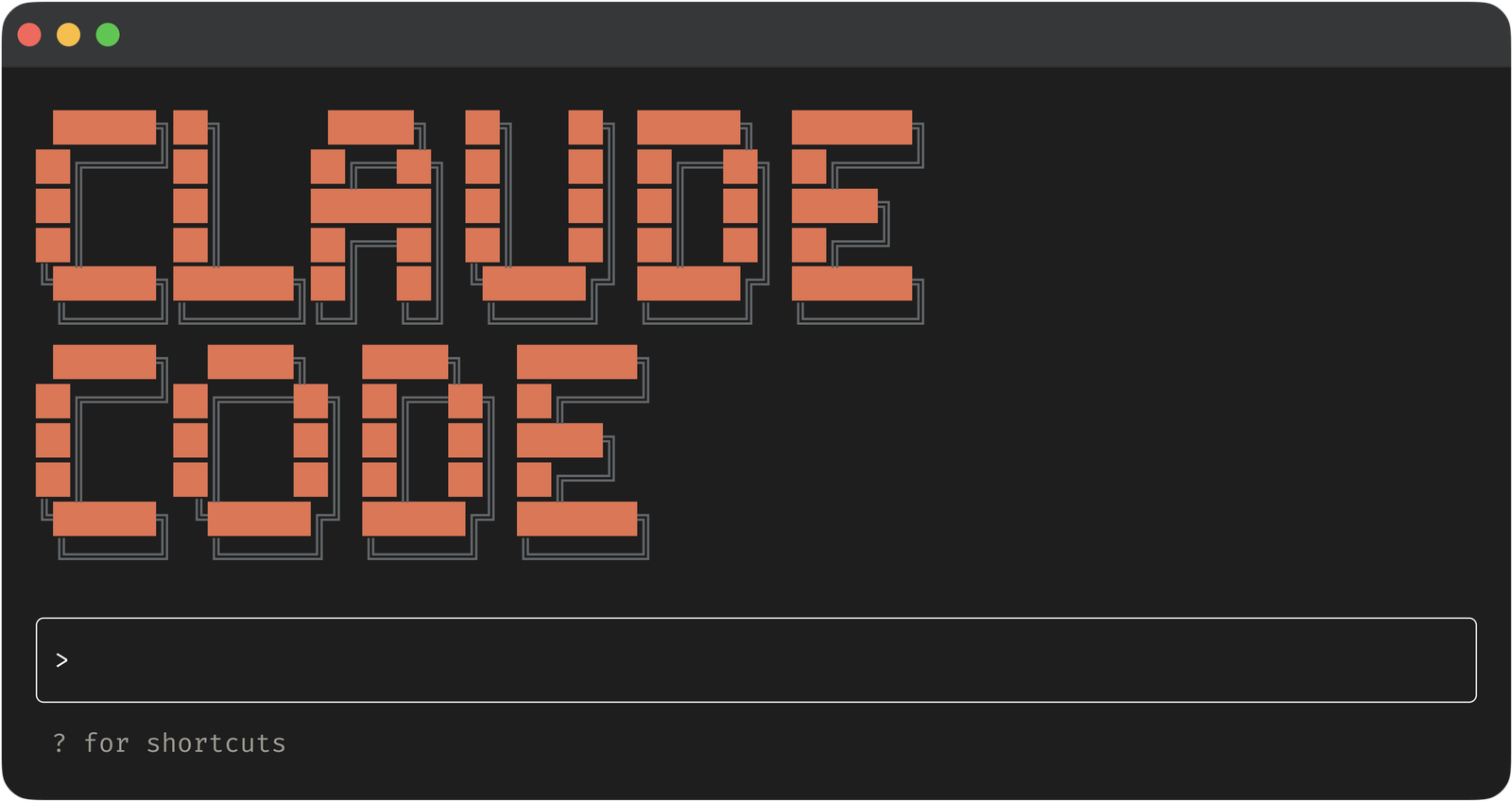
Last checked: May 21, 2026. This article uses official Anthropic, Claude, Claude Code, GitHub, and Google sources where relevant. Feature image credit: official Claude Code CLI image from Anthropic's "Introduction to agentic coding" page. Credit: Anthropic.
Claude coding is the practical workflow of using Anthropic's Claude models, especially Claude Code, to understand, write, edit, debug, test, review, and ship software. In everyday search language, people say "Claude coding" when they mean coding with Claude, using Claude as an AI programming assistant, or working with Claude Code as an agentic coding tool. The official product name is Claude Code, and Anthropic describes it as an agentic coding tool that can read a codebase, edit files, run commands, and integrate with development tools across terminal, IDE, desktop app, and browser surfaces.
This matters because Claude Code is not just a code-completion feature. It is closer to an AI coding collaborator that works at the project level. You can ask it to explain a repository, find where authentication is handled, plan a change, edit multiple files, run tests, inspect failures, update docs, create commits, and help with pull requests. In the broader AI development market, Claude Code is one of the clearest examples of the shift from autocomplete to agentic software engineering.
This detailed Claude coding guide explains what Claude Code is, how it works, how to install it, which workflows it supports, how to use it safely, where it performs best, where it can go wrong, and how developers, students, founders, product teams, and engineering leaders can adopt it responsibly. It also includes official media, videos, credited feature imagery, SEO-focused sections, and source links.
Quick Answer: What Is Claude Coding?
Claude coding means using Claude, usually through Claude Code, to help build software. The developer describes a goal in natural language, and Claude Code can gather context from the project, inspect files, propose a plan, edit code, run commands, test the result, and iterate.
The simplest version is asking Claude to explain code. The more advanced version is delegating a complete task, such as "write tests for the auth module, run them, and fix failures" or "find the root cause of this build error and propose the smallest safe patch."
The key difference from older AI coding tools is that Claude Code operates at the project level. It is not limited to one visible file or a single autocomplete suggestion. According to official Claude Code docs, it can understand project structure, work across multiple files, and use tools such as file operations, search, command execution, web lookup, code intelligence integrations, MCP servers, skills, hooks, and subagents.
Good Claude coding still requires human judgment. Claude can move quickly, but the developer remains responsible for reviewing diffs, running verification, protecting secrets, and deciding what ships.
Official Media and Videos
The image below is an official Anthropic image showing Claude Code in a terminal-style workflow. It is used here as the feature image with credit.
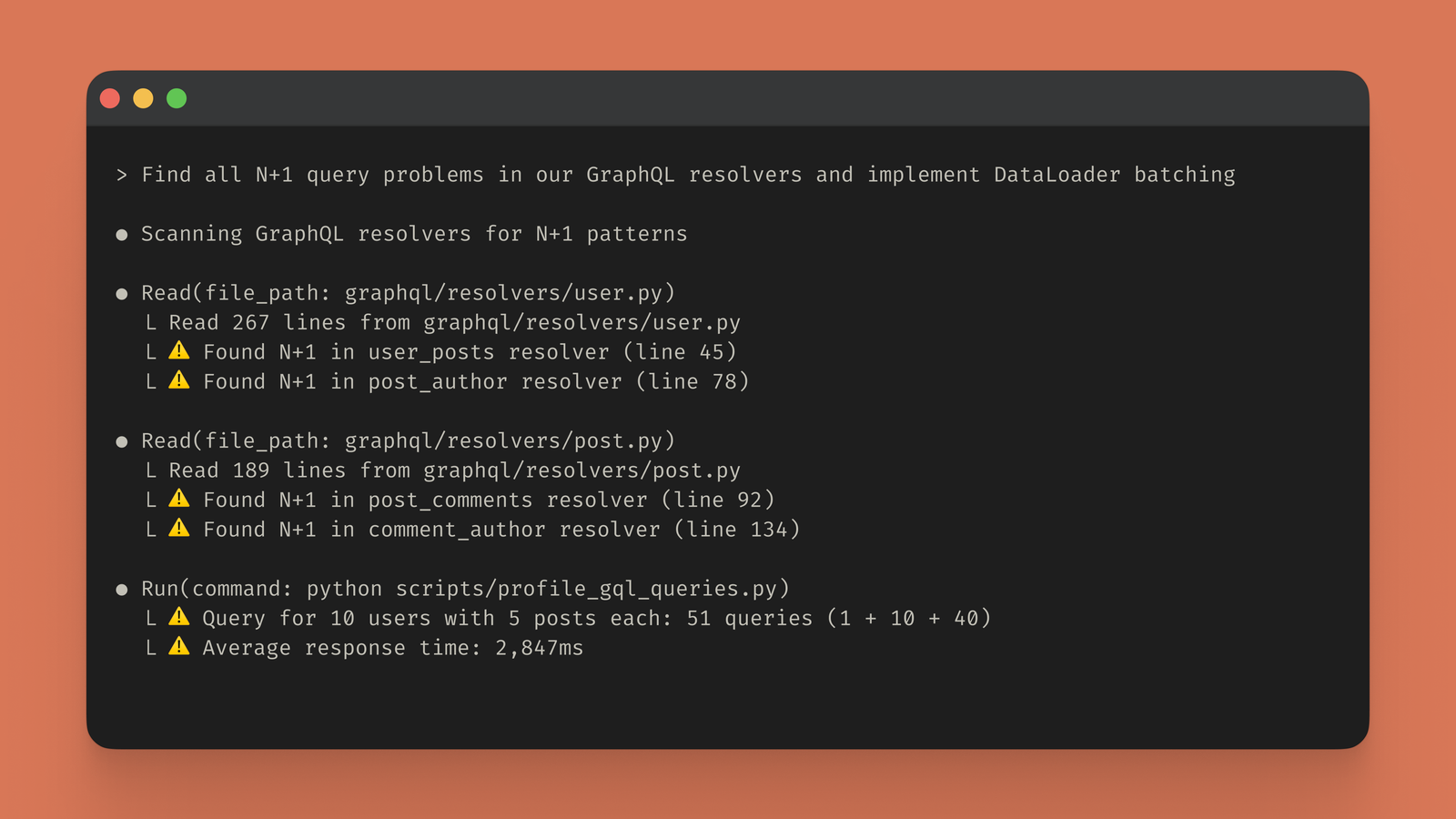
The next image comes from Anthropic's official agentic coding page and visually represents Claude Code in the broader agentic coding workflow.
Anthropic and the Claude team also publish Code w/ Claude recordings and training content. The following official videos are useful starting points for learning Claude coding workflows.
Claude Code in One Sentence
Claude Code is Anthropic's agentic coding system for turning natural-language development goals into repository-aware software work.
That sentence is intentionally specific. Claude Code is not merely "Claude but for code." It is a harness around Claude that provides tools, context management, execution environments, permissions, sessions, and integrations. The model reasons. The Claude Code system gives the model ways to act.
This is why the official docs describe an agentic loop: gather context, take action, verify results, and repeat. A question about architecture may mostly require context gathering. A bug fix may require reading files, editing code, running tests, inspecting errors, and making another edit. A refactor may involve multiple files and several verification passes.
That loop is the heart of Claude coding.
How Claude Code Works
Claude Code works by combining a Claude model with development tools. When you start it inside a project, Claude can inspect the repository and decide what context it needs. It can search files, read code, identify project conventions, edit files, run commands, use Git, and verify results.
The official "How Claude Code works" docs describe three broad phases: gathering context, taking action, and verifying results. These phases are not always separate. Claude may read a file, edit a function, run a test, see a failure, read another file, and adjust the implementation. Each step produces information that feeds the next step.
The tool layer is what makes Claude Code agentic. Without tools, Claude can only respond with text. With tools, it can act on a project. The official docs list built-in tool categories such as file operations, search, execution, web access, and code intelligence. Claude Code can also be extended through MCP, skills, hooks, and subagents.
For developers, the practical result is simple: Claude Code can do more than suggest code. It can participate in the development loop.
Claude Coding vs Code Completion
Traditional code completion predicts the next line, function, or block as you type. It is useful, but it stays close to the cursor.
Claude coding is broader. Claude Code can work across a repository, follow a task, and coordinate multiple actions. Anthropic's product FAQ explicitly contrasts Claude Code with code-completion tools: completion tools suggest the next line, while Claude Code reads the full codebase, plans an approach across files, executes changes, runs tests, and iterates on failures.
That difference changes the developer's role.
With code completion, the developer still manually drives every step. With Claude Code, the developer defines the goal, reviews the plan, approves actions, checks diffs, and verifies output. The work shifts from typing every line to supervising and steering a tool-using assistant.
That does not make programming knowledge obsolete. It makes programming judgment more important.
Claude Code Setup and Installation
The current Claude Code docs list several installation paths. For macOS, Linux, and WSL, the recommended native install command is curl -fsSL https://claude.ai/install.sh | bash. The docs also list Homebrew with brew install --cask claude-code and WinGet with winget install Anthropic.ClaudeCode. Older docs and other official pages also reference npm installation such as npm install -g @anthropic-ai/claude-code, but the current quickstart emphasizes the native installer.
After installation, the core workflow is:
- Open a terminal in a project.
- Run
claude. - Log in when prompted.
- Ask a question such as "what does this project do?"
- Try a safe edit and review the diff.
Claude Code requires an account or supported provider access. The official docs mention Claude subscriptions, Anthropic Console, and enterprise cloud providers such as Amazon Bedrock, Google Vertex AI, and Microsoft Foundry as authentication routes.
For first use, start with a small project and a low-risk task. Do not begin with production authentication, payments, or database migrations.
What Claude Code Can Do
Claude Code can help with many development tasks:
- Explain a repository.
- Find where a feature is implemented.
- Trace a bug through multiple files.
- Write or update tests.
- Fix lint errors.
- Refactor code.
- Resolve merge conflicts.
- Update dependencies.
- Write release notes.
- Create commits.
- Draft pull request descriptions.
- Use Git with approval.
- Work with project memory through CLAUDE.md.
- Connect to external tools through MCP.
- Run in terminal, IDE, desktop, web, Slack, and CI/CD contexts.
This is why developers use Claude coding for both understanding and implementation. Asking "where is user authentication handled?" can be just as valuable as asking Claude to write code. In a large codebase, context discovery is often the hardest part.
Terminal Workflow
Claude Code began with a strong terminal identity. That matters because the terminal is where many developers already run tests, package managers, Git commands, local servers, migrations, and deployment scripts.
A terminal agent has direct access to the actual project directory. It can inspect files, see package configuration, run commands, and work with the same tools the developer uses. This makes Claude Code especially useful for developers who prefer command-line workflows.
Examples of good terminal prompts include:
- "Summarize this project in five bullets and identify the main entry point."
- "Find where login tokens are refreshed and explain the flow."
- "Write tests for the calculator functions and run them."
- "This command fails with the following error. Find the cause and propose a fix."
- "Review my uncommitted changes and suggest improvements."
The terminal workflow rewards specificity. Claude Code is powerful, but it needs clear goals and boundaries.
IDE, Desktop, Web, Slack, and CI/CD
Claude Code is no longer only a terminal tool. The official docs describe availability through terminal, IDE, desktop app, browser, Slack, and CI/CD pipelines.
The VS Code extension brings inline diffs, mentions, plan review, and conversation history into the editor. JetBrains support is also documented. The desktop app gives a visual surface for reviewing diffs, running sessions side by side, and kicking off cloud sessions. Claude Code on the web allows users to connect repositories and run tasks remotely. Slack integration lets teams move from discussion to implementation by delegating tasks from chat. CI/CD integrations make it possible to use Claude Code in automated engineering workflows.
This multi-surface direction is important. Real software work does not happen in one place. A bug report might begin in Slack, implementation might happen in a cloud session, review might happen in GitHub, and final cleanup might happen locally in an IDE.
Claude coding is becoming a workflow that follows the task, not just a tool that lives in one window.
Claude Code on the Web
Claude Code on the web is useful for asynchronous development. Instead of opening a local terminal, a developer can select a GitHub repository, describe the task, and let Claude work in a remote environment. Anthropic's help center describes this as useful for tasks such as updating documentation, small bug fixes, and long-running work that can happen away from the developer's machine.
The web workflow is not always better than local. Local terminal work is still best when the project depends on local configuration, private services, custom tooling, or tight interactive debugging. Web sessions are better when the task is self-contained and can run safely in a remote environment.
The practical rule is this: use local Claude Code when environment fidelity matters; use web Claude Code when delegation and parallel execution matter.
CLAUDE.md and Project Memory
One of the most important Claude coding concepts is project instructions. Claude Code supports a CLAUDE.md file that stores project-specific guidance, conventions, commands, and context. The quickstart recommends running /init once per project to generate a CLAUDE.md file.
This file can tell Claude:
- How the project is structured.
- Which commands run tests and builds.
- Which style conventions matter.
- Which files or directories to avoid.
- How to name branches or commits.
- What architectural boundaries must be respected.
Good project instructions reduce repeated prompting. They also make Claude Code more consistent across sessions and team members.
Do not overload CLAUDE.md with vague rules. Keep it concise, accurate, and maintained. If instructions become stale, Claude may follow outdated guidance.
Permissions, Checkpoints, and Human Control
Claude Code's safety model matters because a coding agent can act on real files and commands. Anthropic's product FAQ says the default is cautious: Claude Code asks before making changes to files or running commands. The docs also describe checkpoints, permissions, and ways to undo changes.
This is essential. A coding agent should not be treated like a harmless chatbot. If it can edit files and run commands, it needs approval boundaries.
Developers should pay attention to:
- Which files Claude is allowed to edit.
- Which commands it wants to run.
- Whether a command has network or destructive side effects.
- Whether dependencies are being installed.
- Whether secrets are being exposed.
- Whether a change touches production configuration.
Human review is not optional. It is the control layer that makes agentic coding usable.
Claude Coding for Beginners
Claude coding can help beginners build faster and learn faster, but only if they use it actively.
A beginner should ask Claude to explain what it generates. Good beginner prompts include:
- "Explain this file in plain English."
- "What does this function do?"
- "Show me the data flow from the button click to the API call."
- "What should I test?"
- "Rewrite this in a simpler way."
- "Give me three small exercises based on this code."
If a beginner only asks Claude to build and never asks why, they may produce working code without understanding it. That can become a learning trap. The better approach is to treat Claude as a tutor and coding assistant.
The goal is not to avoid learning code. The goal is to learn by building real things with immediate feedback.
Claude Coding for Professional Developers
Professional developers can use Claude Code to reduce context-gathering time and offload repetitive work. The biggest value is often not raw code generation. It is fast orientation inside unfamiliar or large codebases.
Professional use cases include:
- Investigating a bug.
- Writing focused tests.
- Updating documentation after a code change.
- Refactoring repeated patterns.
- Creating migration plans.
- Reviewing diffs.
- Resolving merge conflicts.
- Generating release notes.
- Running test loops.
- Explaining complex modules to new team members.
Professionals should use stricter prompts than beginners. A strong professional prompt says what to inspect, what not to edit, what tests to run, and what kind of output is expected.
For example: "Inspect the payment retry logic and identify why duplicate invoices can be created. Do not edit files yet. Provide the likely root cause, affected files, and a minimal test plan."
This keeps Claude in analysis mode before implementation.
Claude Coding for Startups and Product Teams
Claude Code is attractive to startups because it can compress the time between idea and prototype. A founder can describe a dashboard, internal tool, onboarding flow, or integration and get a working first draft. Product managers can prototype workflows. Designers can test UI ideas. Operations teams can automate repetitive tasks.
This is powerful, but it needs boundaries. A prototype is not a production system. Claude-generated code still needs review, tests, accessibility checks, performance checks, and security review.
Startups should use Claude coding for speed where speed matters: experiments, prototypes, internal tools, and early product discovery. For user data, payments, authentication, or compliance-sensitive workflows, bring in engineering review before shipping.
Claude Code can reduce time-to-demo. It does not remove responsibility for production quality.
Claude Coding Prompt Patterns
Good Claude coding prompts are specific, scoped, and reviewable.
Use discovery prompts when you need context: "Explain how authentication works in this repository and list the key files."
Use planning prompts before risky work: "Plan a safe fix for the checkout bug. Do not edit files yet."
Use implementation prompts when the plan is approved: "Implement only the validation-layer change and add one focused test if a nearby test file exists."
Use verification prompts after a change: "Run the relevant tests, explain any failures, and do not broaden the change unless necessary."
Use review prompts before committing: "Review the diff for correctness, security, and unnecessary changes."
The best prompts tell Claude why the task matters, not only what to do. Context improves decisions.
Claude Code and MCP
MCP, or Model Context Protocol, is important for Claude coding because it extends what an agent can access. Anthropic introduced MCP as an open standard for connecting AI assistants to systems where data lives, including development environments, content repositories, and business tools.
In Claude Code, MCP can connect the agent to external data sources and tools. This can include docs, issue trackers, design systems, databases, or internal services, depending on configuration.
This makes Claude more useful, but it also expands the trust boundary. If Claude can call external tools, teams must decide which tools are approved, what permissions they have, and how outputs are reviewed.
MCP is best treated like developer infrastructure. Useful, powerful, and worth governing carefully.
Claude Code, Skills, Hooks, and Subagents
Claude Code can be extended beyond its default behavior. Official docs mention skills, hooks, and subagents as ways to customize and scale work.
Skills can package reusable workflows or domain-specific procedures. Hooks can automate actions around events. Subagents can delegate specialized parts of a task. Together, these features move Claude Code from a single assistant into a more structured agentic development environment.
For a small project, you may not need these features immediately. For a team or large codebase, they can matter a lot. They can encode conventions, reduce repeated prompting, and help Claude work more consistently.
The key is to add structure only where it reduces real friction. Too many custom rules can make agent behavior harder to understand.
Where Claude Coding Works Best
Claude coding works best when the task has clear success criteria.
Good tasks include:
- "Add tests for this helper."
- "Fix this specific build error."
- "Update this component to match the existing pattern."
- "Explain how this API route works."
- "Refactor this repeated logic without changing behavior."
- "Update docs after this configuration change."
- "Find why this test fails and propose a minimal patch."
Claude Code also works well when the project has good tests and clear conventions. Tests give the agent a way to verify. Conventions give the agent patterns to copy.
The better your project structure, the better Claude Code can help.
Where Claude Coding Is Risky
Claude coding is riskier when requirements are ambiguous, verification is weak, or the code touches sensitive systems.
Be careful with:
- Authentication.
- Authorization.
- Payments.
- Financial calculations.
- Data deletion.
- Database migrations.
- Encryption.
- Infrastructure and deployment.
- Security controls.
- Privacy-sensitive workflows.
- Legal, medical, or regulated systems.
The issue is not that Claude cannot help. It can. The issue is that mistakes in these areas are expensive. Use Claude for analysis and drafts, but require expert review and strong tests before shipping.
Security Checklist for Claude Coding
Use this checklist before relying on Claude-generated changes:
- Start from a clean Git state or a dedicated branch.
- Ask Claude to explain the plan before editing important files.
- Review every diff.
- Run tests and build checks.
- Inspect any new dependencies.
- Do not expose secrets, API keys, tokens, or customer data.
- Deny commands you do not understand.
- Be cautious with network access and shell commands.
- Keep
CLAUDE.mdcurrent. - Use least-privilege MCP servers.
- Require human review for production code.
- Treat AI code review as an additional reviewer, not a replacement.
Good security practice is what turns Claude coding from a toy workflow into an engineering workflow.
Claude Coding vs OpenAI Codex, GitHub Copilot, and Gemini Code Assist
Claude Code is part of a larger AI coding market. OpenAI Codex, GitHub Copilot, Gemini Code Assist, OpenCode, Windsurf, Cursor-style editors, and other tools are all converging around agentic development.
GitHub Copilot is deeply integrated with GitHub and VS Code. OpenAI Codex emphasizes local, cloud, IDE, GitHub, Slack, and SDK workflows through the ChatGPT ecosystem. Gemini Code Assist integrates agent mode into VS Code and IntelliJ with Google tooling. OpenCode provides an open-source agent path with flexible providers.
Claude Code's strength is its agentic coding loop, terminal-first heritage, multi-surface expansion, and strong Claude model behavior on complex code reasoning. The right choice depends on your team's environment, approved providers, security needs, and preferred workflow.
Many developers will use more than one tool.
SEO Notes: Why People Search for Claude Coding
People search for "Claude coding" for several reasons:
- They want to know whether Claude can write code.
- They are looking for Claude Code setup instructions.
- They want a Claude Code tutorial.
- They are comparing Claude Code with Codex or Copilot.
- They want to understand vibe coding with Claude.
- They need safety and privacy guidance.
- They are looking for official Claude Code videos.
- They want best practices for professional use.
An SEO-optimized Claude coding article should answer all of those intents. It should include the official product name, install commands, workflow examples, security guidance, media, videos, FAQs, and links to primary sources.
Keyword stuffing is unnecessary. The phrase "Claude coding" should appear naturally alongside related terms such as Claude Code, Anthropic, AI coding agent, agentic coding, terminal coding assistant, coding with Claude, and AI software engineering.
FAQ: Claude Coding
What is Claude coding?
Claude coding means using Anthropic's Claude models, especially Claude Code, to help write, edit, debug, test, and understand software.
Is Claude Code official?
Yes. Claude Code is Anthropic's official agentic coding tool.
Is Claude Code only a terminal tool?
No. Claude Code is available through terminal, IDE, desktop app, browser, Slack, and CI/CD workflows according to official docs.
How do I install Claude Code?
The current quickstart lists curl -fsSL https://claude.ai/install.sh | bash for macOS, Linux, and WSL. It also lists Homebrew and WinGet options.
Can Claude Code edit files?
Yes. Claude Code can edit files, but it asks for permission before modifying files by default.
Can Claude Code run tests?
Yes. Claude Code can run commands, including test and build commands, with user approval.
What is CLAUDE.md?
CLAUDE.md is a project instruction file that stores context, conventions, and guidance Claude Code should read in future sessions.
Is Claude coding safe for production?
It can support production work, but generated changes require human review, tests, security checks, and proper permissions.
Is Claude coding the same as vibe coding?
Claude coding can be used for vibe coding, but professional Claude Code usage should include planning, review, and verification rather than blind acceptance.
What are the best Claude Code videos?
Good official starting points include "Mastering Claude Code in 30 minutes," "Claude Code best practices," "A conversation on Claude Code," and "Vibe coding in prod" from Code w/ Claude and Anthropic/Claude channels.
Final Takeaway
Claude coding is one of the most important AI software development workflows right now because it moves coding assistance from the line level to the project level. Claude Code can gather context, edit files, run commands, verify results, and integrate with the tools developers already use.
The upside is speed, better codebase navigation, faster prototyping, and less repetitive work. The risk is over-trusting generated code. The strongest users treat Claude Code like a capable junior collaborator with excellent stamina: useful, fast, and worth reviewing carefully.
Use Claude coding to explore, understand, prototype, test, document, and automate. Use engineering discipline to decide what ships.
Sources
- Anthropic: Claude Code product page
- Claude Code official documentation
- Claude Code: How Claude Code works
- Claude Code quickstart
- Claude: Introduction to agentic coding
- Claude: Coding solution page
- Claude Help Center: Your first day in Claude Code
- Claude Help Center: Claude Code on the web
- Anthropic: Introducing the Model Context Protocol
- Google Gemini Code Assist agent mode overview
- GitHub Copilot agent mode announcement
Before you move on
Global AI workflow guidance. Use this short checklist to turn the article into action.
- Check whether the tool can access private files or account data.
- Verify factual claims against primary sources before publishing.
- Keep a human review step for work that affects money, school, or customers.
This guide is written for practical user safety. For account, platform, or legal decisions, confirm critical steps with the official help center or your service provider.