A detailed Pi coding agent guide covering the open-source terminal coding harness, setup, providers, sessions, extensions, skills, official media, videos, safety, and real developer use cases.
Last checked: May 21, 2026. This article is based on the official Pi website, Pi documentation, the Earendil Works GitHub repository, the Pi press kit, and the creator's long-form technical write-up. Feature image credit: official Pi press-kit screenshot from pi.dev, Earendil Inc. and contributors.
Quick answer
Pi is an open-source terminal coding agent and minimal coding harness for developers who want more control over how an AI agent reads code, edits files, runs shell commands, manages context, and extends itself. It is not an IDE, not a hosted SaaS coding platform, and not a single-model wrapper. Pi is a small, extensible command-line agent built around a focused toolset, a terminal UI, multi-provider model support, session history, project instructions, skills, TypeScript extensions, prompt templates, themes, and package sharing.
The simplest way to understand Pi is this: you run pi inside a project folder, talk to a language model through the terminal, and the agent can use tools such as read, write, edit, and bash to inspect and change the codebase. Around that core, Pi lets developers customize almost everything. You can add skills for repeatable workflows, write extensions that register new tools or commands, use different model providers, create prompt templates, switch models mid-session, branch from previous messages, and export or share session history.
Pi's official positioning is direct: it is a minimal terminal coding harness. The project says users should adapt Pi to their workflows, not the other way around. That philosophy matters because many modern coding agents hide large system prompts, auto-inject context, lock users into one model vendor, or ship opinionated workflows that are hard to inspect. Pi takes the opposite approach: keep the core small, expose the moving parts, and let users build the missing features themselves.
That makes Pi powerful, but it also means it is not a toy. A coding agent that can edit files and run shell commands needs a serious workflow. Use Git checkpoints, isolated project folders, containers or disposable worktrees for risky tasks, and clear project instructions. If you let an agent operate in a production repository without review, the problem is not only the model. It is the operating environment you gave it.

What is Pi coding agent?
Pi coding agent is the interactive CLI package in the Pi agent harness project. The GitHub repository, now under earendil-works/pi, describes the monorepo as the home of the Pi agent harness project, including a self-extensible coding agent. The main packages include @earendil-works/pi-coding-agent for the interactive CLI, @earendil-works/pi-agent-core for the agent runtime, @earendil-works/pi-ai for a unified multi-provider LLM API, and @earendil-works/pi-tui for terminal UI rendering.
For ordinary users, the important package is @earendil-works/pi-coding-agent. It is the CLI you install globally and run inside a codebase. For developers building products around agents, the other packages matter because they expose the underlying runtime, provider abstraction, and TUI system.
Pi was created by Mario Zechner, known in developer circles for libGDX and game tooling work. His public write-up explains that he wanted a coding agent harness with tighter context control, visible behavior, clean session format, multi-model support, and fewer hidden features. That origin explains Pi's design: it is intentionally minimal, but not simplistic.
The key phrase is "coding harness." A harness is the layer that sits between the human, the model, the filesystem, shell commands, and the UI. A model alone does not know how to browse your repository, apply a patch, run tests, save a session tree, or ask for a different model mid-run. The harness provides that structure.
Pi's harness is built for developers who prefer the terminal and want a direct path from prompt to code change. It can summarize a repository, inspect files, run checks, patch bugs, create extensions, use skills, and preserve session history. It can also be embedded or controlled programmatically through SDK, RPC, and JSON event stream modes, which makes it relevant beyond personal command-line use.
Why Pi is getting attention
AI coding tools are everywhere in 2026. Developers can choose from IDE assistants, cloud agents, code review bots, terminal agents, browser agents, and autonomous pull request systems. Pi stands out because it does not try to win by adding every possible feature to the default product.
Pi's official site says it ships with powerful defaults but skips features such as sub-agents and plan mode. The reason is philosophical: if a feature can be built as an extension, skill, prompt template, shell workflow, or external package, it does not need to live in the core. That is unusual in a market where tools often compete by bundling more UI, more workflow abstractions, and more hidden automation.
This minimalism gives Pi three advantages.
First, it is easier to reason about. The default tool surface is small. The official quickstart says Pi gives the model four tools by default: read, write, edit, and bash. Additional built-in read-only tools such as grep, find, and ls are available through tool options. A small core makes it easier to understand what the agent can do.
Second, it is deeply extensible. Pi extensions are TypeScript modules that can subscribe to events, register tools, add commands, prompt users, customize UI rendering, store state, intercept tool calls, and change runtime behavior. If a developer wants permission gates, Git checkpointing, path protection, custom compaction, external integrations, webhooks, CI triggers, or interactive terminal components, Pi's extension layer is designed for that.
Third, it respects the reality of multi-model work. Pi supports subscription-based providers through /login and API-key providers through environment variables or an auth file. The official providers page lists subscription options such as ChatGPT Plus/Pro through Codex, Claude Pro/Max, and GitHub Copilot, plus API-key providers such as Anthropic, OpenAI, DeepSeek, Google Gemini, Mistral, Groq, Cerebras, Cloudflare AI Gateway, xAI, OpenRouter, Hugging Face, Fireworks, Together AI, Kimi For Coding, MiniMax, and more.
In short, Pi is popular with developers who want a coding agent they can inspect, alter, and route through their preferred models. It feels closer to a programmable workbench than a packaged assistant.
How Pi works
Pi works by running an agent loop inside a project directory. You type a request into the terminal UI. The selected model receives project instructions, relevant context, available tool descriptions, and your message. The model can then request tool calls. Pi executes those tools, streams events, updates the terminal UI, and feeds results back into the model until the assistant responds or the run finishes.
In the default CLI workflow, Pi operates in the current working directory. That means if you launch it inside a repository, it can inspect and modify files there. The quickstart warns that Pi can modify files in the current working directory and recommends Git or another checkpointing workflow for rollback. That warning is important. A coding agent should never be trusted like a read-only search tool.
The built-in tools are deliberately basic:
| Tool | What it does | Why it matters |
|---|---|---|
read | Reads files for context | Lets the model inspect implementation, tests, docs, config, and logs |
write | Creates or overwrites files | Useful for generated files, new modules, notes, or fixtures |
edit | Applies patches to files | The safest normal path for code changes |
bash | Runs shell commands | Lets the agent run tests, build scripts, diagnostics, and repo commands |
That small set is enough for many real coding tasks. Read the code, edit the code, run the checks, respond with the result. More complex workflows are built on top through instructions, extensions, skills, and shell tools.
Pi also has multiple usage modes. The official site lists interactive, print/JSON, RPC, and SDK modes. Interactive mode is the full terminal UI. Print mode supports one-shot prompts such as pi -p "Summarize this codebase". JSON mode emits structured events. RPC mode provides a JSON protocol over stdin/stdout for non-Node integrations. SDK mode lets developers embed Pi in Node.js applications.
This matters for SEO searchers comparing Pi with other coding agents. Pi is not only a human-facing CLI. It is also a set of reusable agent infrastructure pieces.
Pi setup and installation
The official quickstart says Pi is distributed as an npm package. The recommended command shown in the docs is:
npm install -g --ignore-scripts @earendil-works/pi-coding-agent
The --ignore-scripts flag disables dependency lifecycle scripts during install. The docs state that Pi does not require install scripts for normal npm installs. The official documentation also shows a curl install path on Linux and macOS:
curl -fsSL https://pi.dev/install.sh | sh
After installation, run Pi from the project directory:
cd /path/to/project
pi
Authentication can happen in two ways. The first option is /login, where users can select subscription providers such as Claude Pro/Max, ChatGPT Plus/Pro through Codex, or GitHub Copilot. The second option is API keys through environment variables or the auth file. For example, a user can set ANTHROPIC_API_KEY, OPENAI_API_KEY, or GEMINI_API_KEY before launching Pi.
The official providers docs say tokens are stored in ~/.pi/agent/auth.json for subscription login, and API-key auth can also be stored there. The docs note that the auth file is created with 0600 permissions, meaning user read/write only.
For a safe first session, start small:
- Open a clean Git worktree or a disposable branch.
- Install Pi using the official package name.
- Authenticate with one model provider.
- Run
piinside a non-production project. - Ask it to summarize the repository and tell you how to run checks.
- Ask it to make a small, reviewable change.
- Review the diff yourself.
- Run tests independently.
Do not begin by asking Pi to rewrite a large application, run migrations, touch secrets, or connect to production systems. The best first task is a bounded change with visible output.
Models and providers
One of Pi's strongest selling points is provider flexibility. Many AI coding tools are tied to a single model vendor, subscription, or IDE. Pi's provider architecture is broader. The official site says Pi supports Anthropic, OpenAI, Google, Azure, Bedrock, Mistral, Groq, Cerebras, xAI, Hugging Face, Kimi For Coding, MiniMax, OpenRouter, Ollama, and more.
For users, this means a single coding agent workflow can be used across multiple models. You can switch models mid-session with /model or Ctrl+L, according to the official quickstart. The site also says users can cycle through favorites and add custom providers and models through models.json or extensions.
This is useful because different coding models have different strengths. One model may be better at large refactors. Another may be cheaper for routine edits. A local model through Ollama may be good enough for private exploratory tasks. A frontier model may be worth the cost when debugging a subtle distributed-system issue.
The risk is cost and inconsistency. Model switching is powerful, but it can also produce inconsistent style, assumptions, and quality. Developers should record which model was used for important changes, especially in team environments. Pi sessions and exported histories can help with this because the tool is designed around visible session records.
Sessions, tree history, and compaction
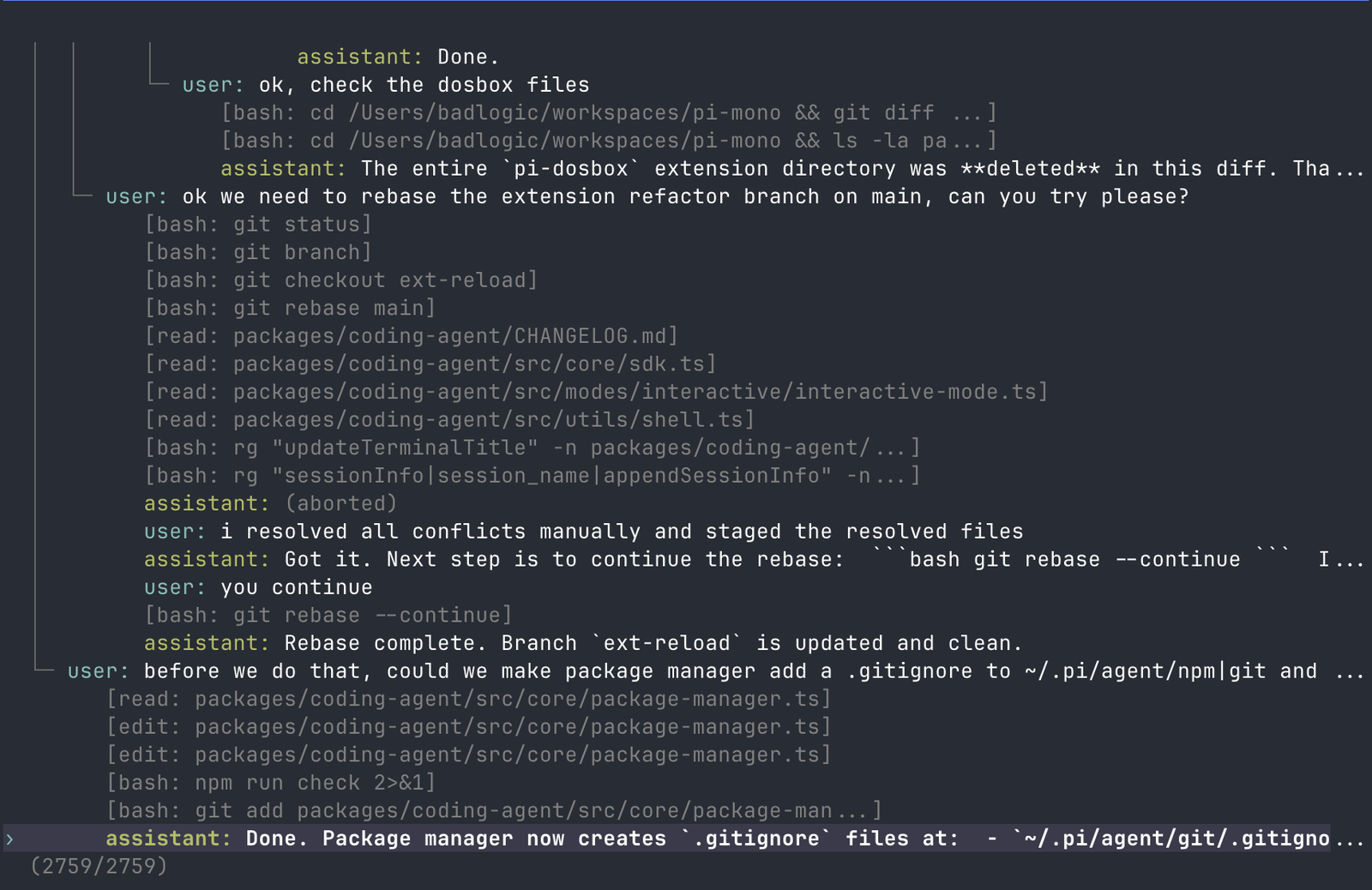
Pi's session system is one of the features that separates it from a disposable terminal chat. The official sessions docs say Pi saves conversations as sessions so users can continue work, branch from earlier turns, and revisit previous paths. Sessions auto-save to ~/.pi/agent/sessions/, organized by working directory, and each session is a JSONL file with a tree structure.
This tree model is practical. In normal agent work, the first attempt is not always the best attempt. You may ask for one solution, inspect the result, then realize you want a different architecture. In a linear chat, the old path remains as baggage. In Pi, /tree lets you jump to a previous point and continue from there. You can also use /fork and /clone to create new branches.
The official docs describe commands such as /resume, /new, /name, /session, /tree, /fork, /clone, /compact, /export, and /share. For serious engineering work, /name and /export are particularly useful. Named sessions are easier to find, and exported sessions can document what the agent did.
Context compaction is another important mechanism. Long coding sessions eventually exceed model context windows. The official compaction docs explain that Pi summarizes older content while preserving recent work. Auto-compaction triggers when the context exceeds a threshold, and users can manually run /compact with optional instructions. The docs also describe branch summarization, which preserves context when switching branches.
This is not just a convenience feature. Context management is one of the hard problems in coding agents. Too little context leads to wrong edits. Too much context wastes tokens and can confuse the model. Pi's stance is that context should be visible and customizable, not a hidden system behavior users cannot inspect.
Extensions: Pi's power layer
Extensions are where Pi becomes more than a small CLI. The official extensions docs describe extensions as TypeScript modules that extend Pi's behavior. They can subscribe to lifecycle events, register custom tools callable by the LLM, add commands, prompt users through the UI, create custom TUI components, store state, and customize rendering.
Extensions can live globally in ~/.pi/agent/extensions/ or project-locally in .pi/extensions/. Auto-discovered extensions can be hot-reloaded with /reload. This makes Pi unusually hackable during a live session. If the current workflow needs a new command, you can build or install it, reload, and continue.
The official docs list example use cases:
- Permission gates before dangerous shell commands.
- Git checkpointing at each turn.
- Path protection for files such as
.envornode_modules. - Custom compaction strategies.
- Conversation summaries.
- Interactive tools and wizards.
- Stateful tools such as todo lists.
- External integrations, file watchers, webhooks, and CI triggers.
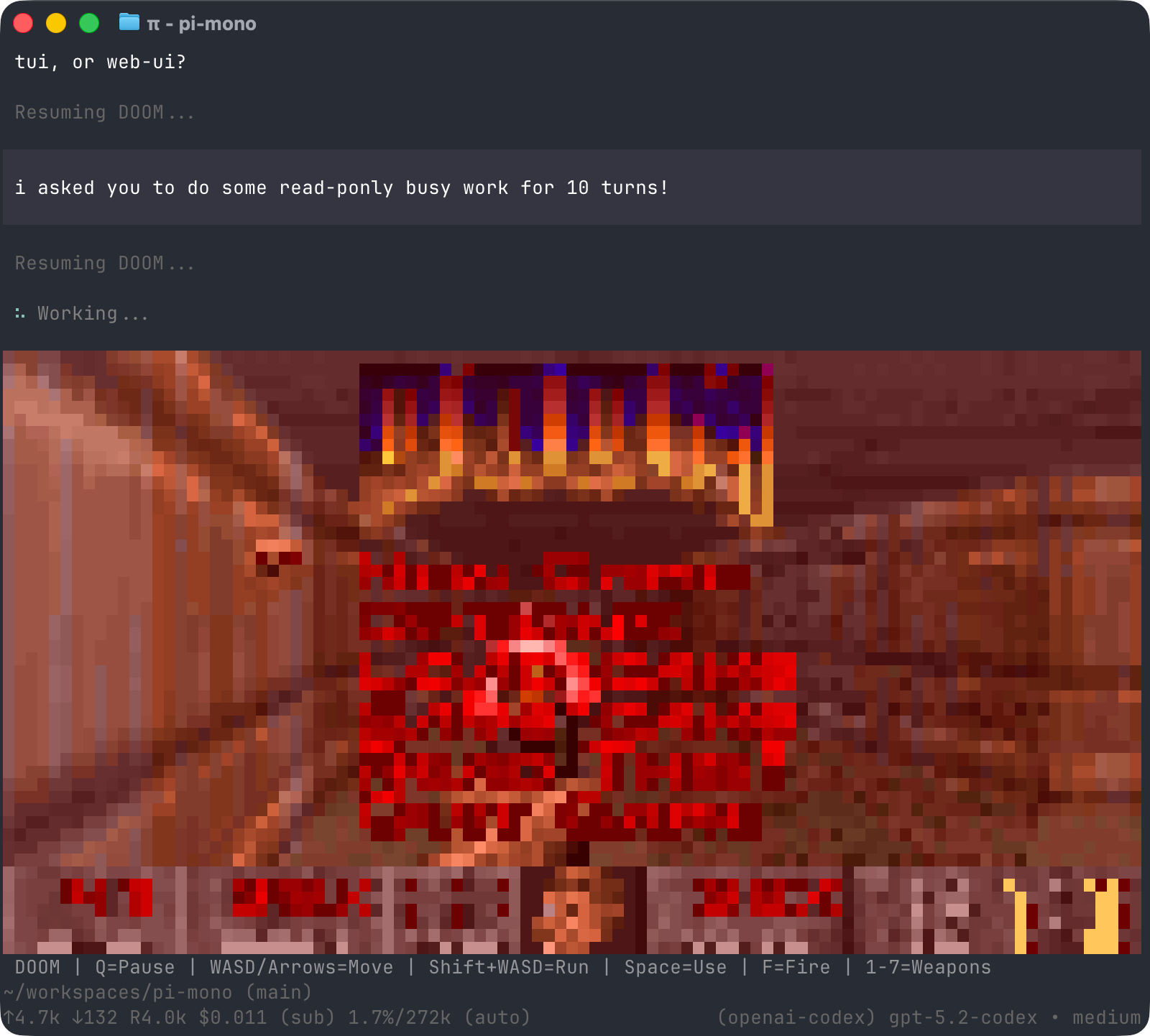
- Custom UI components and games inside the terminal.
This is the core of Pi's "primitives, not features" philosophy. Instead of baking every workflow into the default agent, Pi gives developers the APIs to build what they need. That is more work upfront, but it gives stronger long-term control.
For businesses, extensions are also a governance mechanism. A team can create an extension that blocks writes to risky paths, enforces test commands, records metadata, integrates with internal review tools, or requires confirmation before destructive commands. Pi does not force that governance by default. It gives developers a way to implement it.
Skills and prompt templates
Pi skills are self-contained capability packages that the agent loads on demand. The official skills docs say a skill can provide specialized workflows, setup instructions, helper scripts, and reference documentation for specific tasks. Pi implements the Agent Skills standard and supports skill discovery from global, project, package, settings, and CLI locations.
Skills matter because they avoid stuffing every instruction into the always-loaded context. At startup, Pi scans skill locations and extracts names and descriptions. The full SKILL.md content is loaded only when the task matches or when the user explicitly calls a skill command such as /skill:name. This is progressive disclosure: the model knows a skill exists, but it does not pay the full context cost until needed.
Good skills are narrow and practical. A strong skill might explain how to release a package, run a repo-specific benchmark, create a migration safely, review a security-sensitive change, or generate a report. It can include helper scripts, reference files, templates, and clear validation steps.
The official docs warn that skills can instruct the model to perform any action and may include executable code the model invokes. Review skill content before use. That warning should be taken seriously. A malicious or sloppy skill can be as dangerous as a shell script or CI action.
Prompt templates are another customization layer. They are reusable Markdown prompts that can expand from slash commands. A team might use templates for code review, test generation, release notes, bug triage, or architecture critique. Templates are lighter than extensions and skills, but still valuable for repeatable workflows.
Pi packages and ecosystem
Pi packages bundle extensions, skills, prompts, and themes so they can be installed from npm or Git. The official site shows examples like:
pi install npm:@foo/pi-tools
pi install git:github.com/badlogic/pi-doom
Packages are the social layer of Pi's extensibility. A developer can build a local extension, turn it into a package, and share it with others. This is how Pi can stay minimal while the ecosystem grows around it.
The official package directory at pi.dev/packages shows a fast-moving ecosystem of community tools. Package ecosystems create leverage, but also risk. A useful package may save hours. A bad package may add unsafe behavior, leak context, or create brittle workflows. Treat packages the way you treat npm packages in production: inspect the source, pin versions where needed, and avoid installing random packages into sensitive repositories.
Videos about Pi coding agent
The official Pi docs are the best place for commands and configuration. Videos are useful for understanding the workflow and philosophy, especially because Pi is a terminal-first tool and much of its appeal is visible in the interaction loop.
If a video is unavailable in your region or the creator changes the URL, use the official docs and Pi press kit as the durable reference. Video explainers can age quickly because Pi is evolving fast.
Security, safety, and review workflow
Pi's defaults are intentionally direct. It can edit files and run commands. That is useful, but it means the real security boundary must come from your environment and workflow.
Start with Git. Every Pi session that touches code should happen in a clean branch or disposable worktree. Commit checkpoints before large tasks. Review the diff before running generated code. Never let an agent hide changes inside unrelated formatting churn.
Use containers or sandboxes for risky projects. If you are asking Pi to inspect unknown code, run untrusted tests, execute generated scripts, or work with unfamiliar dependencies, isolate the environment. A shell-capable agent is only as safe as the permissions around the shell.
Protect sensitive paths. Use a Pi extension, repository rules, or filesystem permissions to prevent writes to .env, private keys, production config, credentials, deployment scripts, and generated secrets. Do not paste API keys into prompts. If you need credentials for tests, use scoped test tokens.
Keep tasks bounded. "Refactor the whole app" is usually a poor instruction. "Extract this parser into a module, update these two tests, and run this command" is much better. The more specific the scope, the easier it is to review.
Make the agent explain verification. A good Pi run should end with changed files, commands run, test results, remaining risks, and what the human should inspect. If the agent cannot explain the verification path, do not merge the change.
Use extensions for guardrails. Pi's extension API can intercept tool calls, ask for confirmation, block dangerous commands, enforce path protection, or add Git checkpointing. If you use Pi daily, invest time in guardrails. The point of Pi is not that it has no safety model. The point is that the safety model can be explicit and yours.
Pi vs Claude Code, Codex CLI, Cursor, and OpenCode
Pi competes with other AI coding agents, but its philosophy is different. Claude Code, Codex CLI, Cursor, and OpenCode are valuable tools with their own strengths. Pi is for users who want a small, inspectable, extensible harness that can route through multiple providers and be reshaped from inside the workflow.
Cursor is strongest as an IDE-like coding environment with editor-native context and UI. Pi is stronger if you prefer terminal workflows and explicit agent sessions.
Claude Code is popular for direct agentic coding with Anthropic models. Pi is stronger if you want provider flexibility, custom extensions, session tree control, and a minimal default prompt/tool surface.
Codex CLI is strong for OpenAI-focused coding workflows. Pi is stronger if you want one CLI that can use several providers, subscription paths, and custom provider definitions.
OpenCode is another terminal coding agent with its own design decisions. Pi differentiates through its aggressive extensibility, terminal UI library, session tree format, and "build the feature yourself" philosophy.
The practical advice is simple: use the tool that fits your workflow and review discipline. Pi is not automatically better for every developer. It is better for developers who value control, composability, and the ability to alter the harness itself.
Best use cases for Pi
Pi works well for repository exploration. Ask it to summarize the architecture, list test commands, identify important files, and explain likely change points. This is low risk and high value.
Pi works well for small patches. Bug fixes, test additions, documentation updates, config cleanup, and isolated refactors are good starting tasks. The diff stays reviewable.
Pi works well for agent-assisted tooling. Because it can create extensions and skills, Pi can help build the exact workflow you need: release helpers, repo checkers, context visualizers, custom prompts, or review tools.
Pi works well for multi-model experimentation. If you want to compare GPT, Claude, Gemini, local models, and OpenRouter models inside one coding harness, Pi is a strong candidate.
Pi works well for terminal-native developers. If your normal workflow is shell, Git, tmux, editors, and scripts, Pi fits naturally. If you want a polished GUI-first experience, you may prefer a desktop or IDE agent.
Limitations and tradeoffs
Pi's minimalism is a strength, but also a tradeoff. Some features you expect from other agents may not exist by default. The official site explicitly lists things Pi does not build into the core: MCP, sub-agents, permission popups, plan mode, built-in todos, and background bash. Many of these can be implemented through extensions or external tools, but they are not default product promises.
That means Pi rewards builders. If you want every workflow pre-packaged, Pi may feel too bare. If you enjoy shaping tools around your process, Pi may feel unusually flexible.
Another limitation is operational responsibility. Because Pi can run commands and write files, careless use can break a repo quickly. The answer is not blind fear. The answer is ordinary engineering hygiene: branches, tests, review, sandboxes, and scoped permissions.
Finally, the ecosystem moves fast. Commands, package names, model support, and provider details can change. The official docs should be checked before installation, especially because older articles may refer to the previous @mariozechner/pi-coding-agent package name while the current official docs use @earendil-works/pi-coding-agent.
SEO summary
Pi coding agent is a minimal open-source AI coding agent for the terminal. It lets developers use large language models to read code, edit files, run shell commands, manage sessions, switch models, and customize workflows through TypeScript extensions, skills, prompt templates, themes, and Pi packages. Its official npm package is @earendil-works/pi-coding-agent, and the official website is pi.dev.
The main reason developers search for Pi is control. Pi is transparent, terminal-native, provider-flexible, and extensible. It does not try to be a sealed product. It gives developers a small harness and the primitives to build the workflow they want.
The main caution is safety. Pi can modify code and execute commands. Use Git, review diffs, isolate risky runs, protect secrets, and build guardrails with extensions.
FAQ
Is Pi coding agent free?
Pi is open source and the official GitHub repository lists an MIT license. Running Pi may still cost money because you need a model provider subscription, API key, local hardware, or cloud inference service.
What is the official Pi package name?
The current official docs show @earendil-works/pi-coding-agent. Some older articles and videos may mention @mariozechner/pi-coding-agent, but the official docs should be treated as the source of truth.
Does Pi work with OpenAI and ChatGPT?
Yes. The official providers docs list OpenAI API-key support and ChatGPT Plus/Pro through Codex subscription login.
Does Pi support Claude?
Yes. Pi supports Anthropic API keys and Claude Pro/Max subscription login according to the official providers docs.
Can Pi use local models?
Pi supports custom providers and model definitions, including options such as Ollama, LM Studio, vLLM, and OpenAI-compatible APIs through configuration.
Is Pi safe to run in a production repository?
Only with a careful workflow. Use Git branches, review diffs, restrict sensitive files, avoid production credentials, and run tests yourself. For risky tasks, use containers or disposable worktrees.
What makes Pi different from other coding agents?
Pi keeps the core small and lets users extend the harness through TypeScript extensions, skills, prompt templates, themes, and packages. It emphasizes control, context engineering, session history, and provider flexibility.
Sources
- Official Pi website and press kit: pi.dev and pi.dev/press-kit
- Official Pi documentation: pi.dev/docs/latest
- Official quickstart: pi.dev/docs/latest/quickstart
- Official providers guide: pi.dev/docs/latest/providers
- Official extensions guide: pi.dev/docs/latest/extensions
- Official skills guide: pi.dev/docs/latest/skills
- Official sessions and compaction docs: sessions and compaction
- Official GitHub repository: github.com/earendil-works/pi
- Creator background post: What I learned building an opinionated and minimal coding agent
- Pi video directory used for additional video discovery: lazypi.org/videos.html
Before you move on
Global AI workflow guidance. Use this short checklist to turn the article into action.
- Check whether the tool can access private files or account data.
- Verify factual claims against primary sources before publishing.
- Keep a human review step for work that affects money, school, or customers.
This guide is written for practical user safety. For account, platform, or legal decisions, confirm critical steps with the official help center or your service provider.