
Critical Flowise and Langflow vulnerabilities show why AI orchestration platforms can become master credential vaults when they connect cloud APIs, vector databases and production services.
Last checked: May 31, 2026. This article is based on Flowise and Langflow security advisories, NVD records, CISA's Known Exploited Vulnerabilities catalog and public researcher analysis. It avoids exploit steps and focuses on impact, patching and defensive action.
Quick answer
Rapid AI deployment has put a new class of software in the middle of enterprise infrastructure: AI orchestration platforms. Tools such as Flowise and Langflow let teams connect LLMs, prompts, agents, vector databases, cloud APIs, documents, chat apps and internal services into visual workflows.
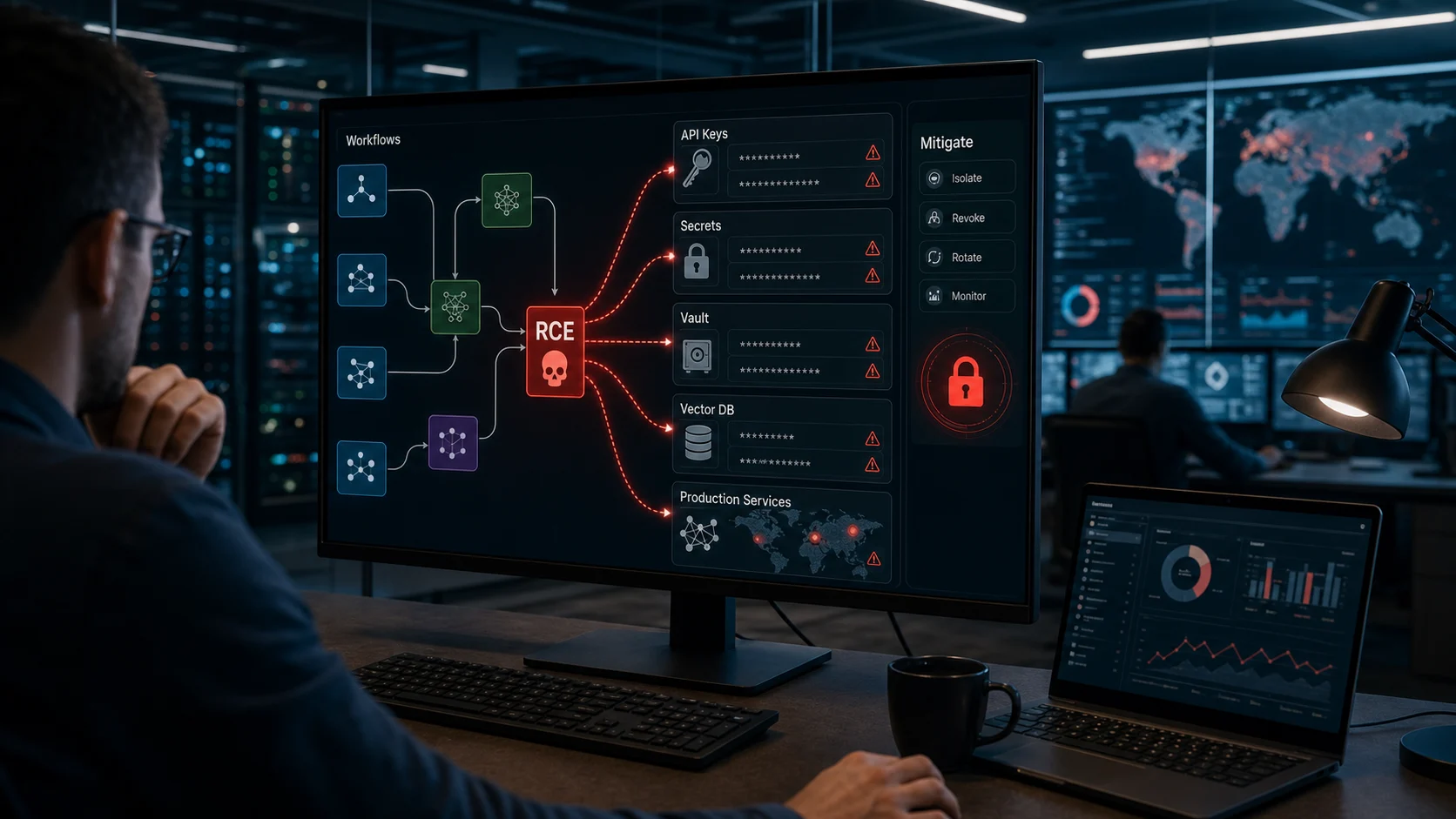
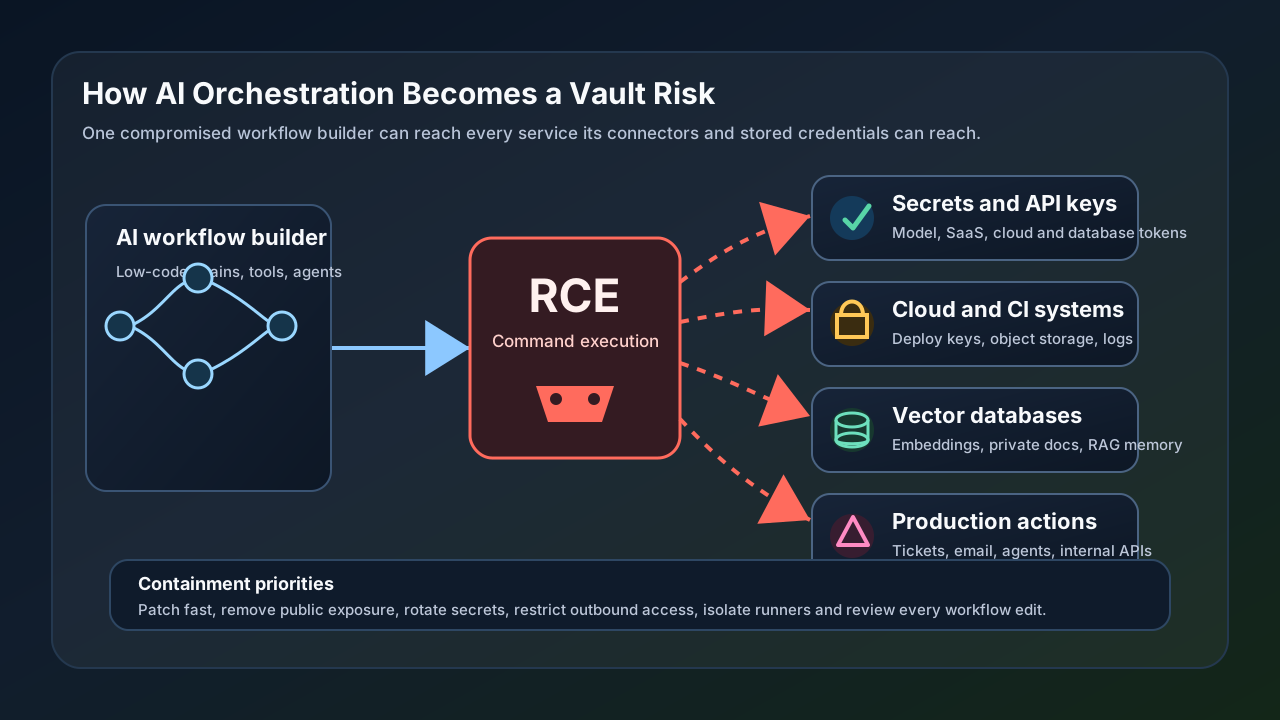
That convenience is also the risk. When an orchestration server has a remote code execution flaw, the incident is not limited to the app itself. The attacker may be able to reach the credentials, connectors, files, vector stores and production services that the workflow builder is allowed to use.
Recent critical vulnerabilities in Flowise and Langflow show why security teams should treat AI orchestration servers like privileged control-plane systems, not like harmless developer utilities. Patch immediately, remove public exposure, rotate any secrets stored in exposed instances, restrict connector permissions and monitor every workflow change.
What happened
The confirmed story is a cluster of high-severity and critical RCE issues across popular AI workflow tools.
| Product | Vulnerability | Confirmed impact | Fixed version or action |
|---|---|---|---|
| Flowise | CVE-2026-40933 | Authenticated RCE through unsafe handling of stdio commands in the MCP adapter | Upgrade to Flowise 3.1.0 or later |
| Flowise | CVE-2025-59528 | Critical RCE in Flowise 3.0.5 involving unsafe execution of user-supplied CustomMCP configuration | Upgrade to Flowise 3.0.6 or later, then continue to a current release |
| Langflow | CVE-2026-33017 | Unauthenticated RCE in versions before 1.9.0 involving public-flow building with attacker-controlled flow data | Upgrade to Langflow 1.9.0 or later; CISA lists it as known exploited |
| Langflow | CVE-2025-3248 | Missing authentication in a code-validation function that allowed unauthenticated code execution | Upgrade to Langflow 1.3.0 or later, then continue to a current release |
Flowise CVE-2026-40933 is especially relevant to AI agent stacks because it involves the Model Context Protocol, or MCP, adapter path. MCP is useful because it lets AI tools connect to external capabilities. It is risky when a workflow platform lets an attacker influence commands that run on the underlying host.
Langflow CVE-2026-33017 is equally serious because CISA added it to the Known Exploited Vulnerabilities catalog on March 25, 2026. CISA's listing means U.S. federal civilian agencies had a required mitigation deadline of April 8, 2026, and private organizations should treat it as a priority signal.
Why this is a "vault" problem
The word "vault" is not literal in every deployment, but it describes the business impact well.
An AI orchestration platform often stores, brokers or can access:
- LLM provider keys.
- Cloud service tokens.
- OAuth connectors for SaaS tools.
- Database credentials.
- Vector database endpoints and API keys.
- Document stores and retrieval indexes.
- Internal API URLs.
- Email, chat, ticketing and CRM integrations.
- Agent tool permissions that can trigger actions in other systems.
If an attacker gets code execution on the orchestration host, stealing one key is not the only concern. They can also inspect environment variables, read configuration files, query local storage, observe workflow definitions, change agent behavior, add exfiltration steps or pivot into systems reachable from the server.
That is why a vulnerable orchestration server can behave like a master credential vault leak. The blast radius is defined by what the orchestrator can reach.
The attack paths defenders should think about
The dangerous part of these vulnerabilities is not just "run a command." It is what the compromised process can do afterward.
Common downstream paths include:
- Dumping stored API keys or tokens from the workflow server.
- Reading
.envfiles, config volumes or container secrets. - Pulling private embeddings or documents from a vector database.
- Modifying RAG prompts so future answers leak data.
- Adding hidden workflow nodes that send data to an outside endpoint.
- Using cloud credentials to list buckets, secrets, logs or compute resources.
- Abusing Slack, email or ticketing connectors for internal phishing.
- Triggering agent tools that create, delete, approve or deploy resources.
- Tampering with logs to hide workflow changes.
For many organizations, the orchestration tool sits closer to production than teams realize. A "test" AI agent may already have credentials for real data stores, real SaaS systems or real cloud accounts.
Who is most exposed
The highest-risk deployments share a few traits.
| Deployment pattern | Risk level | Why it matters |
|---|---|---|
| Internet-facing Flowise or Langflow instance | Very high | Attackers can scan and reach it directly |
| Shared internal instance with many editors | High | Low-privilege users or compromised employee accounts may modify workflows |
| Orchestrator running with broad cloud credentials | High | RCE can become a cloud compromise |
| Vector DB connected to sensitive documents | High | RAG data can be read, copied or poisoned |
| Local-only developer sandbox with fake data | Lower | Still risky if copied into production or given real tokens |
| Managed vendor-hosted instance | Depends | Review vendor isolation, patch cadence and connector controls |
The issue is not that AI orchestration tools are inherently bad. The issue is that they combine code execution, workflow editing, third-party connectors and secrets in one place. That combination needs production-grade security.
Immediate mitigation checklist
If your organization runs Flowise, Langflow or a similar AI workflow builder, start with containment and version checks.
- Inventory every Flowise and Langflow instance, including developer machines, containers, cloud VMs and internal sandboxes.
- Upgrade Flowise to 3.1.0 or later and verify that no vulnerable 3.0.5 or pre-3.1.0 MCP-adapter deployment remains.
- Upgrade Langflow to 1.9.0 or later for CVE-2026-33017 exposure, and verify no pre-1.3.0 Langflow or pre-0.3.0 langflow-base packages remain for CVE-2025-3248.
- Remove public internet exposure unless there is a strong, documented reason for it.
- Put admin and editor access behind SSO, MFA and private network access.
- Rotate all secrets stored in or reachable by any exposed or vulnerable instance.
- Review workflow definitions for unexpected nodes, new connectors, modified prompts or unfamiliar outbound destinations.
- Restrict outbound network access so the orchestrator cannot freely send data anywhere.
- Run the service as a non-root user in a hardened container or VM.
- Separate dev, staging and production credentials.
- Replace long-lived API keys with short-lived, scoped credentials where possible.
- Move secrets into a real secrets manager and inject only the minimum needed at runtime.
If you have evidence of exploitation, do not only patch. Treat the instance as potentially compromised, preserve logs, rotate secrets, review connected systems and look for downstream activity.
What logs and signals to review
Defenders should review both application logs and the connected services around the orchestrator.
Useful checks include:
- New or modified workflows, agents, tools and MCP server definitions.
- Newly added connectors or changed connector scopes.
- Unexpected use of model provider keys.
- Spikes in vector database reads or exports.
- Outbound requests to unknown domains or IP addresses.
- Shell execution, package-manager activity or child processes from the app container.
- New files in mounted volumes.
- Authentication events for low-privilege users who edited workflows.
- Cloud audit logs for unusual reads of secrets, storage, logs or compute metadata.
The goal is to reconstruct what the orchestrator could access during the vulnerable period. In these incidents, the workflow app is often only the first system touched.
Questions leaders should ask
Business and engineering leaders do not need to memorize every CVE. They need clear answers about exposure.
Ask these questions:
- Where are our AI workflow builders running?
- Are any exposed to the public internet?
- Who can create or edit workflows?
- Do editors need production credentials?
- What secrets are stored in the platform?
- Which cloud, SaaS, database and vector systems are connected?
- Can the platform run operating-system commands or install packages?
- Are workflow changes reviewed and logged?
- How quickly do we patch AI infrastructure?
- If the orchestrator is compromised, what downstream systems must be rotated?
If those answers are unclear, the organization has an AI security governance gap.
How to harden AI orchestration long term
Patching closes known vulnerabilities. It does not solve the architectural risk.
Long-term hardening should include:
- Least privilege for every connector and API key.
- Per-workflow service accounts instead of shared global secrets.
- Approval gates before workflows can call production tools.
- Separate runners for untrusted or experimental workflows.
- Network egress allowlists.
- Container isolation with read-only filesystems where feasible.
- Central audit logging for workflow edits and executions.
- Secrets scanning for workflow exports and backups.
- Regular access reviews for editors and admins.
- Threat modeling for agent actions, not only prompt injection.
Treat an AI orchestration platform as a small control plane. It coordinates other systems, so compromise can travel through those connections.
What users should know
End users may not run Flowise or Langflow directly, but they can still be affected if a company uses them behind the scenes to power chatbots, support agents, data assistants or internal automations.
Users should expect companies to:
- Disclose major incidents involving AI workflow systems.
- Rotate exposed credentials quickly.
- Check whether private documents or chat history were reachable.
- Review whether automated agents performed unauthorized actions.
- Strengthen authentication and access controls after discovery.
If a service notifies you that an AI workflow system was compromised, change your password where advised, enable MFA, watch for phishing messages using real account context and review account activity.
FAQ
Are Flowise and Langflow unsafe to use?
Not automatically. They are powerful tools that need the same controls as other production control-plane software: patching, access control, network isolation, least privilege and monitoring.
Does this mean every AI agent platform is vulnerable?
No. The confirmed vulnerabilities discussed here are specific CVEs in Flowise and Langflow. The broader lesson applies to any platform that stores secrets and connects AI workflows to production systems.
Why are MCP-related issues getting attention?
MCP is designed to connect AI systems to tools and context. That is useful, but tool connectors can cross a boundary from "chat" into "actions on real systems." Input validation, command controls and permission boundaries become critical.
Should organizations rotate keys after patching?
Yes, if the vulnerable instance was exposed, reachable by untrusted users, showed suspicious activity or stored meaningful secrets. Patching prevents known exploitation paths from continuing; it does not prove keys were never accessed.
What is the fastest safe response?
Upgrade, remove public exposure, restrict access, rotate reachable secrets, review workflows and audit connected services. Do these in parallel where possible.
Bottom line
AI orchestration platforms are becoming part of enterprise infrastructure faster than many security programs can absorb. The Flowise and Langflow RCEs are a warning: when a workflow builder connects models, vector databases, cloud APIs and production tools, it becomes a high-value target.
The fix is not to stop building AI workflows. The fix is to run them like privileged systems: patched, isolated, monitored, least-privileged and designed so one compromised orchestrator cannot unlock the rest of the business.
Sources
- Flowise advisory for CVE-2026-40933: github.com
- NVD record for CVE-2026-40933: nvd.nist.gov
- Flowise advisory for CVE-2025-59528: github.com
- NVD record for CVE-2025-59528: nvd.nist.gov
- Langflow advisory for CVE-2026-33017: github.com
- NVD record for CVE-2026-33017: nvd.nist.gov
- Langflow advisory for CVE-2025-3248: github.com
- NVD record for CVE-2025-3248: nvd.nist.gov
- CISA Known Exploited Vulnerabilities entry for CVE-2026-33017: cisa.gov
- CISA Known Exploited Vulnerabilities catalog data for CVE-2025-3248: cisa.gov
- Obsidian Security analysis of Flowise stdio MCP RCE risk: obsidiansecurity.com
Before you move on
Defensive security explainers. Use this short checklist to turn the article into action.
- Change reused passwords on important accounts.
- Enable multi-factor authentication or passkeys where available.
- Keep a separate backup for files you cannot afford to lose.
This guide is written for practical user safety. For account, platform, or legal decisions, confirm critical steps with the official help center or your service provider.