
A practical report on PayPal-themed phishing, fake invoice scams, payment-app impersonation, warning signs, reporting steps and what to do if you clicked or paid.
Last checked: May 27, 2026. This report is based on PayPal security guidance, APWG phishing trend data, FTC consumer guidance, FBI IC3 reporting data and independent brand-phishing research. It is consumer safety guidance, not financial or legal advice.
Quick answer
PayPal phishing is a set of scams that impersonate PayPal or abuse payment-related workflows to pressure people into clicking links, calling fake support numbers, paying fake invoices, sharing passwords, sharing two-factor codes or moving money outside normal protections.
The important point is this: a PayPal-themed phishing message does not automatically mean PayPal was breached or that money has already left your account. Many scams are fake emails, fake texts, spoofed websites, fake invoices, money requests, QR-code lures or phone-number callback scams. Some can look unusually convincing because scammers may use real brand assets, legitimate-looking sender names or payment-platform features that generate official-looking notifications.
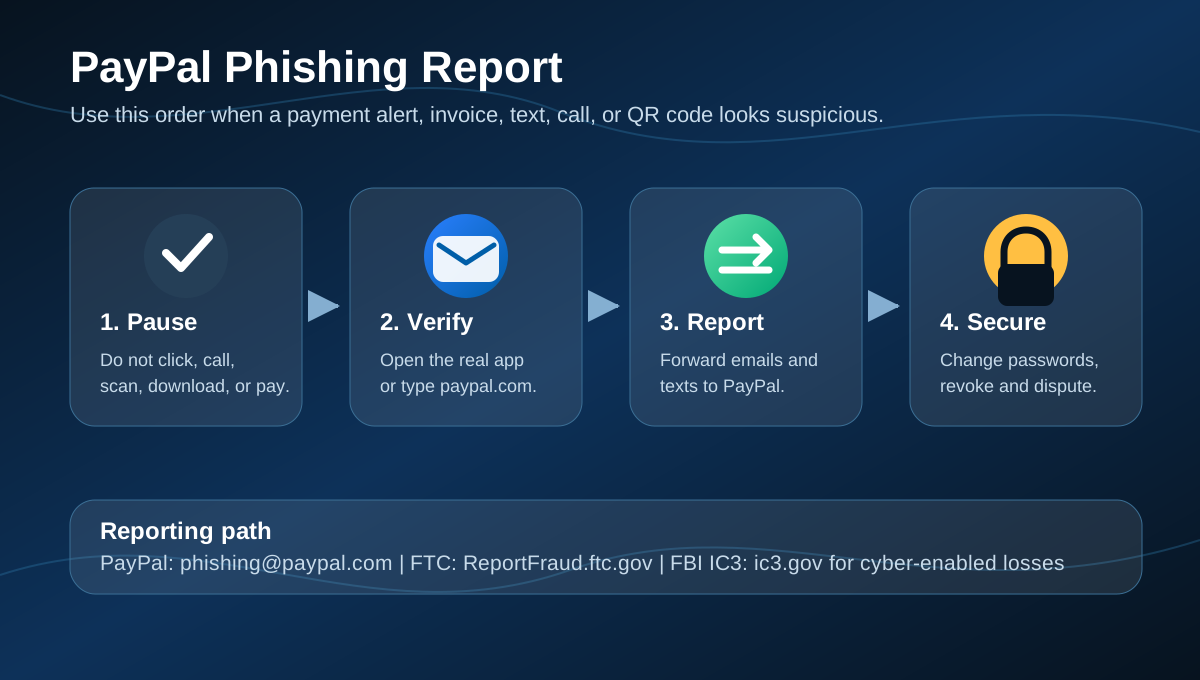
The safest response is simple. Do not click links, call phone numbers, download attachments, scan QR codes or pay from the message. Open the PayPal app yourself or type paypal.com into a browser, then check Activity, invoices, money requests, Message Center and Resolution Center. Forward suspicious emails and texts to phishing@paypal.com, delete the message, and report fraud losses to the FTC or FBI IC3 when money, identity data or account access was exposed.
Why this matters now
Payment-app phishing remains attractive because criminals can turn one anxious click into direct money movement, account takeover, identity theft or a phone-based tech support scam. The latest public trend data shows the broader environment is still intense:
| Signal | What the latest public data says |
|---|---|
| APWG Q1 2026 | APWG reported 971,181 phishing attacks in Q1 2026, up 13.8% from Q4 2025. |
| APWG 2025 review | APWG observed 853,244 phishing attacks in Q4 2025 and about 3.8 million across 2025. |
| Payment targets | APWG listed payment at 8% of most-targeted industry sectors in Q1 2026, while telecom became the most-targeted sector. |
| QR-code phishing | APWG member Mimecast detected 655,673 unique malicious QR codes in Q4 2025, a warning sign for payment-alert and delivery-alert scams. |
| U.S. fraud losses | FTC data shows consumers reported more than $12.5 billion in fraud losses in 2024. |
| FBI IC3 2025 | The FBI reported 1,008,597 total IC3 complaints and $20.877 billion in reported losses in 2025. Phishing/spoofing was the top complaint category by count. |
| Brand impersonation | Check Point Research reported that the most impersonated brands in Q1 2026 were large, trusted technology platforms, showing how attackers lean on familiar names. |
PayPal is a natural target for this kind of abuse because people associate it with shopping, invoices, refunds, subscriptions, sellers, disputes and fast payments. Scammers exploit that familiarity. They want users to react before checking whether the request exists inside the real account.
What a PayPal phishing report usually means
A "PayPal phishing report" can describe several different situations:
- A fake PayPal email asking you to verify your account, resolve a limitation or update payment details.
- A text message claiming there is suspicious activity, a failed transaction or a refund waiting.
- A fake invoice or money request that appears to involve PayPal.
- A real-looking payment notification that includes a fake support number in the note.
- A fake PayPal login page built to steal your password and two-factor code.
- A QR code that sends your phone to a phishing page.
- A phone call or voicemail pretending to be PayPal fraud support.
- A seller or buyer scam where the criminal asks to move communication or payment outside the normal process.
The right response depends on whether you only received the message, clicked a link, typed credentials, shared a code, installed software or sent money. The sections below cover each case.
Common PayPal phishing formats
Fake invoice or money request
This is one of the most common PayPal-themed scams. You receive an invoice or money request for something you never ordered. The note may say there is an urgent charge, an account issue or a fraud alert. It may tell you to call a phone number immediately to cancel the charge.
PayPal's own guidance is direct: if you receive a suspicious invoice or money request, do not pay it, do not call numbers in the note, do not open suspicious URLs and never send cryptocurrency to a wallet mentioned in the request. Log in through the official app or website and report unwarranted invoices or money requests from there.
Fake account limitation
The message claims your PayPal account has been limited, locked or suspended. It usually includes a button such as "restore access", "verify account" or "confirm identity". The link may lead to a fake PayPal login page that captures your password, security code, card details or identity documents.
To verify safely, close the message and open PayPal directly. If there is a real account issue, it should appear inside the account or Message Center.
Fake payment received or refund notice
Some scams tell sellers they have received payment when no real payment has arrived. Others claim a refund, overpayment or pending transfer is waiting. The scammer may ask for shipping, gift cards, fees, crypto, a refund of an "accidental" overpayment or a payment outside PayPal.
Do not rely on screenshots or email claims. Check your PayPal Activity directly. If the transaction is not in the real account, treat the message as fraudulent.
Callback phishing
Callback phishing tries to move the victim from email into a phone call. The email may say a high-value order, subscription or invoice is pending and list a "support" number to cancel it. The person who answers may ask you to install remote-access software, share a code, read card numbers or move money to "protect" it.
Real support does not need your password or two-factor code. PayPal says it will never ask for your password by phone, email or text.
QR-code phishing
QR phishing, often called quishing, hides the destination URL from the first view. A PayPal-themed email, poster, invoice or text may tell you to scan a QR code for account verification, payment confirmation or refund status. Your phone then opens a fake login or payment page.
If a PayPal message includes a QR code you did not request, do not scan it. Open PayPal directly instead.
"Friends and family" pressure
Some scammers pressure victims to use friends-and-family transfers, gift cards, crypto or bank transfers. Those methods can reduce buyer protections and make recovery harder. Be especially cautious if a stranger, marketplace buyer, remote seller or fake support agent tells you which payment method to use.
Warning signs
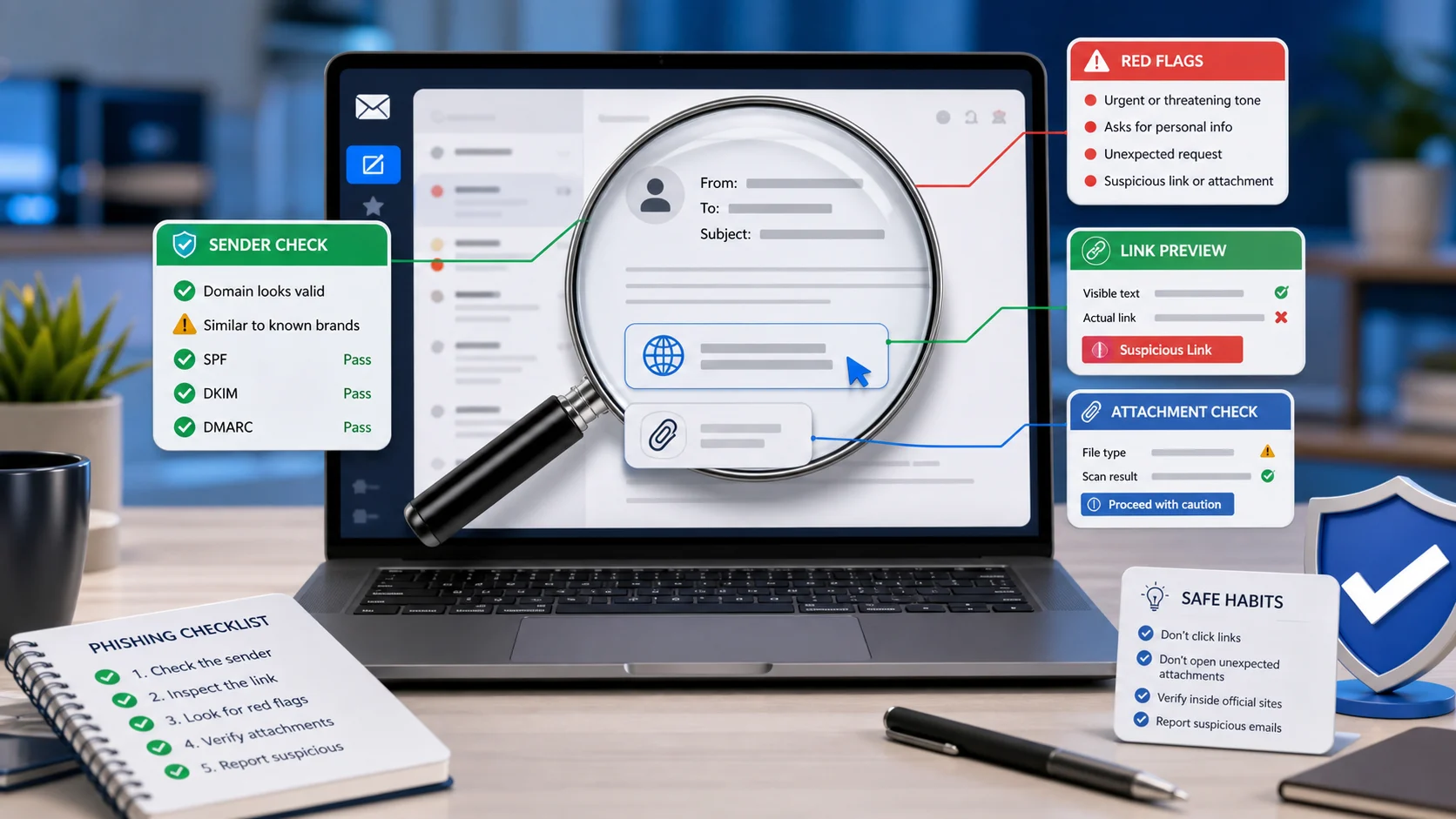
Treat a PayPal-related message as suspicious when it has any of these signs:
- It asks you to click a link to update payment details or unlock an account.
- It includes an invoice, money request or subscription you do not recognize.
- It tells you to call a phone number in the message to stop a charge.
- It asks for your password, one-time code, full card number, bank login or Social Security number.
- It asks you to install remote-access software.
- It asks you to pay in cryptocurrency, gift cards, wire transfer or another unusual method.
- It claims extreme urgency, legal action, account closure or a limited-time refund.
- It addresses you generically or uses a name, business name or email address you do not recognize.
- It uses a shortened link, QR code or domain that is not clearly
paypal.com. - The transaction is not visible when you open PayPal directly.
Do not depend on the sender name alone. Some scams use spoofed display names, forwarded messages, compromised accounts or platform-generated notices with scam text inside a note field. The transaction inside your real PayPal account is more reliable than the message in your inbox.
How to verify safely
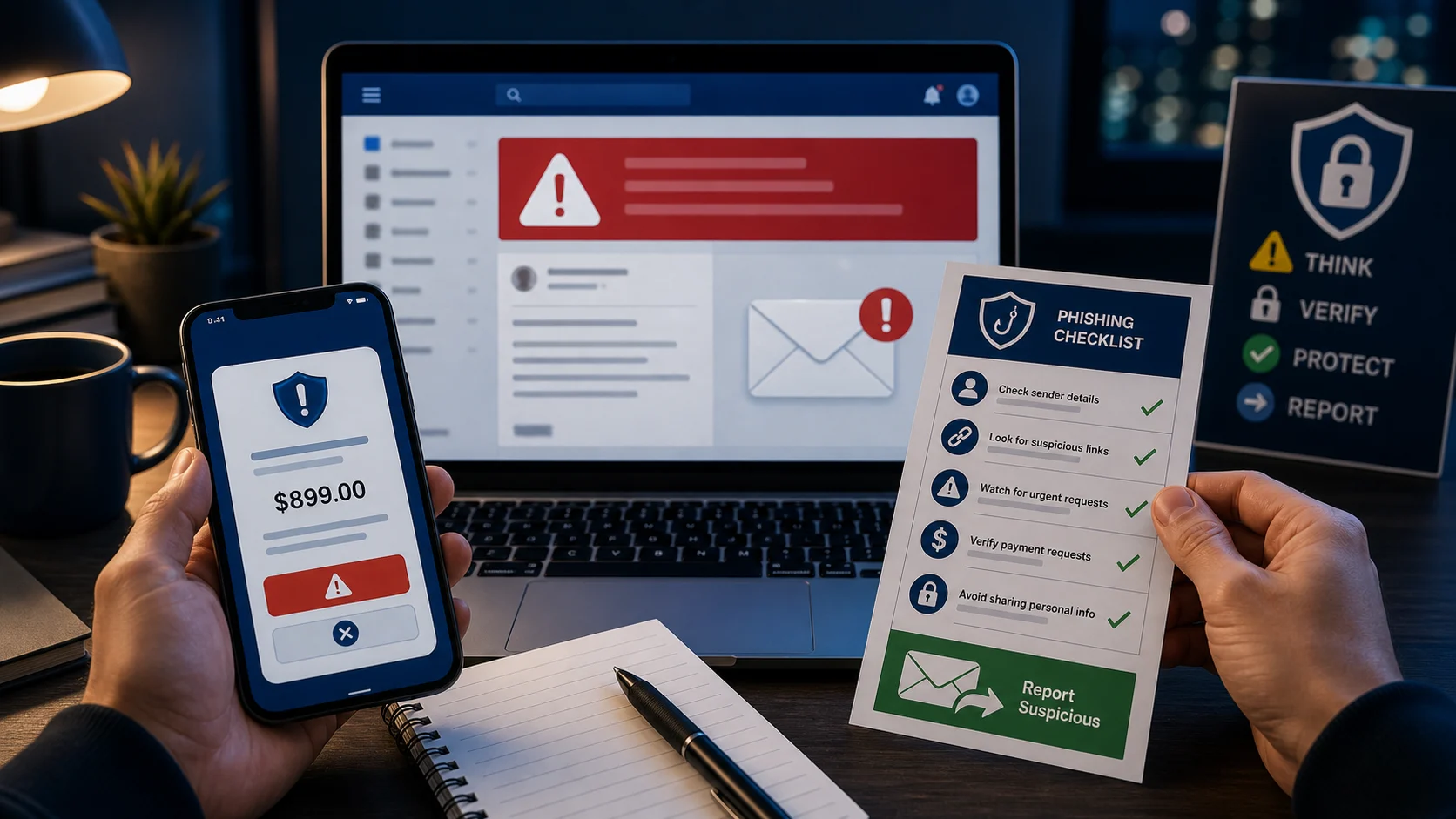
Use this process whenever a PayPal message feels urgent or unusual:
- Do not click anything in the email or text.
- Do not call numbers shown inside the message, invoice note or attachment.
- Open the PayPal app yourself or type
paypal.cominto a new browser window. - Check Activity, invoices, money requests, Message Center and Resolution Center.
- If the transaction or warning does not appear inside PayPal, treat the message as a scam.
- If it does appear but still looks wrong, use PayPal's in-account report or contact options.
- Preserve the original message if money was lost or your workplace security team needs headers.
This approach protects you even when the phishing message looks polished.
How to report a suspicious PayPal message
If you only received a suspicious message and did not interact with it:
- Forward suspicious PayPal emails to
phishing@paypal.com. - Forward unusual PayPal-related texts or SMS messages to
phishing@paypal.com, then block the sender and delete the message. - Report phishing attempts to the FTC at
ReportFraud.ftc.gov. - For text-message phishing, the FTC also recommends forwarding the text to SPAM, which is
7726, where supported by your wireless carrier. - If you lost money, gave a scammer access to an account or were targeted by a larger cyber-enabled fraud, file an FBI IC3 complaint at
ic3.gov.
After reporting, delete the email or text unless your bank, PayPal, law enforcement or workplace security team specifically asks you to preserve it.
What to do if you clicked a link
Clicking a link is not always the same as being compromised, but you should act quickly:
- Close the page.
- Do not enter additional information.
- If you downloaded a file, do not open it.
- Run a security scan on the device if a file opened or software was installed.
- Open PayPal directly and review Activity, settings, addresses, linked cards, linked bank accounts and active disputes.
- Change your PayPal password if you typed it on any page reached from the message.
- Change the password on any other account where you reused that password.
- Turn on two-factor authentication or move to a passkey where available.
- Watch bank and card activity for unauthorized charges.
If the link asked you to install a "support" tool, remote desktop app, browser extension or mobile configuration profile, treat the device as higher risk. Disconnect it from sensitive accounts until it has been checked.
What to do if you shared your password or code
If you typed your PayPal password, shared a one-time code or approved a suspicious login:
- Change your PayPal password immediately from the official site or app.
- Use a new, unique password that is not used anywhere else.
- Review two-factor settings and remove unknown devices, phone numbers, email addresses or authentication methods.
- Review Activity, automatic payments, invoices, money requests and saved payment methods.
- Contact PayPal through the app or official website if there is unauthorized activity.
- Change the password on your email account too, because email access can be used to reset financial accounts.
- Check your email account for forwarding rules, recovery changes and unfamiliar sign-ins.
PayPal's security guidance says it will never ask for your password or two-factor code by phone, email or text. That is one of the clearest ways to identify a fake support interaction.
What to do if you paid or shared card details
If money was sent, do not wait.
Open PayPal directly and check whether the transaction can be disputed or reported in the Resolution Center. If a card or bank account was involved, contact the card issuer or bank immediately and explain that the transaction was connected to a phishing scam. Ask about chargeback, dispute, card replacement, account monitoring and whether any payment authorization should be blocked.
Then create a record:
- Save screenshots of the message, invoice, website, phone number and transaction.
- Keep dates, amounts, payment methods and usernames.
- Report to PayPal through the official account flow.
- Report to the FTC at
ReportFraud.ftc.gov. - Report cyber-enabled fraud to the FBI at
ic3.gov, especially where there is financial loss, business email compromise, tech support fraud, cryptocurrency movement or identity theft. - If identity information was shared, use
IdentityTheft.govfor a recovery plan.
Recovery is not guaranteed, but fast reporting improves the chance that a bank, platform or law-enforcement process can help.
How to harden your PayPal account
These steps reduce the damage if a phishing attempt reaches you:
- Use a unique password for PayPal.
- Store it in a password manager instead of reusing a password.
- Enable two-factor authentication.
- Use a passkey if it is available for your account and device.
- Keep your email account secure, because it controls password resets.
- Review linked cards, linked bank accounts and automatic payments.
- Remove old addresses, old phone numbers and payment methods you no longer use.
- Turn on banking and card alerts for transactions.
- Keep devices, browsers and password managers updated.
- Never share one-time codes with anyone who contacts you.
The email account linked to PayPal deserves the same protection. If a scammer controls your email, they may be able to reset passwords, hide alerts and intercept account notices.
What businesses and sellers should know
Businesses face a different version of the problem. Scammers may send fake buyer payment confirmations, claim an overpayment, impersonate PayPal support, target finance teams with invoice emails or try to redirect refunds.
Sellers should ship only after confirming payment inside the actual PayPal account. Finance teams should verify invoice changes through a known contact channel and avoid trusting phone numbers inserted into email threads or payment notes. Customer support teams should know the official reporting path so they can guide customers without asking for passwords, codes or full payment details.
If a business account is affected, preserve logs, invoices, message headers, customer communications and payment records before deleting anything. That evidence matters for platform disputes, bank claims and IC3 reporting.
Media: phishing awareness videos
The following CISA Secure Our World videos are useful for basic user training and family safety reminders:
FAQ
Was PayPal hacked?
Not necessarily. A PayPal phishing message usually means scammers are impersonating PayPal, abusing a payment workflow or using PayPal's brand to create urgency. Always check the real account before assuming a charge or warning is real.
Is phishing@paypal.com legitimate?
Yes. PayPal directs users to forward suspicious emails and unusual texts to phishing@paypal.com.
Should I call the phone number in a PayPal invoice?
No. PayPal warns that scam invoices and money requests may include alarmist notes asking users to call fake customer service numbers. Open PayPal directly and check the invoice or money request from inside your account.
What if the email appears to come from PayPal?
Still verify inside the account. Sender names, logos and email authentication results can be confusing for users, and scam content can appear in payment notes or forwarded messages. The real question is whether the transaction, invoice or warning exists inside your PayPal account.
What if I already paid?
Use the PayPal app or website to report the transaction, contact your bank or card issuer immediately, preserve evidence, and file reports with the FTC and IC3 if money or personal data was exposed.
Is a QR code safer than a link?
No. QR codes can hide the destination until after you scan them. Do not scan a QR code from an unexpected PayPal-themed message. Open PayPal directly.
Sources
- PayPal: How to Report Suspicious Emails and Messages
- PayPal: What are invoice scams and money request scams on PayPal?
- PayPal: Protect Your PayPal Account
- APWG: Phishing Activity Trends Reports
- APWG: Phishing Activity Trends Report, 1st Quarter 2026
- APWG: Q1 2026 Report press release
- APWG: Phishing Activity Trends Report, 4th Quarter 2025
- FTC: How To Recognize and Avoid Phishing Scams
- FTC: New FTC Data Show a Big Jump in Reported Losses to Fraud to $12.5 Billion in 2024
- FBI: 2025 IC3 Annual Report
- FBI: Cryptocurrency and AI Scams Bilk Americans of Billions
- Check Point Research: The Phishing Paradox: The World's Most Trusted Brands Are Cyber Criminals' Entry Point of Choice
- CISA: Secure Our World - Recognize and Report Phishing
- CISA: Secure Our World Videos
Before you move on
Consumer scam response. Use this short checklist to turn the article into action.
- Do not reply with OTPs, login codes, or recovery phrases.
- Verify urgent requests through a separate trusted channel.
- Warn contacts quickly if your account may have been used.
This guide is written for practical user safety. For account, platform, or legal decisions, confirm critical steps with the official help center or your service provider.