
A clear guide to vishing and smishing, how voice and text phishing work, warning signs, examples, reporting steps, and what to do if you shared information.
Last checked: May 28, 2026. This guide is based on FBI, FTC, CISA, USPIS, IRS and FBI IC3 reporting resources. It is consumer safety guidance, not legal or financial advice.
Quick answer
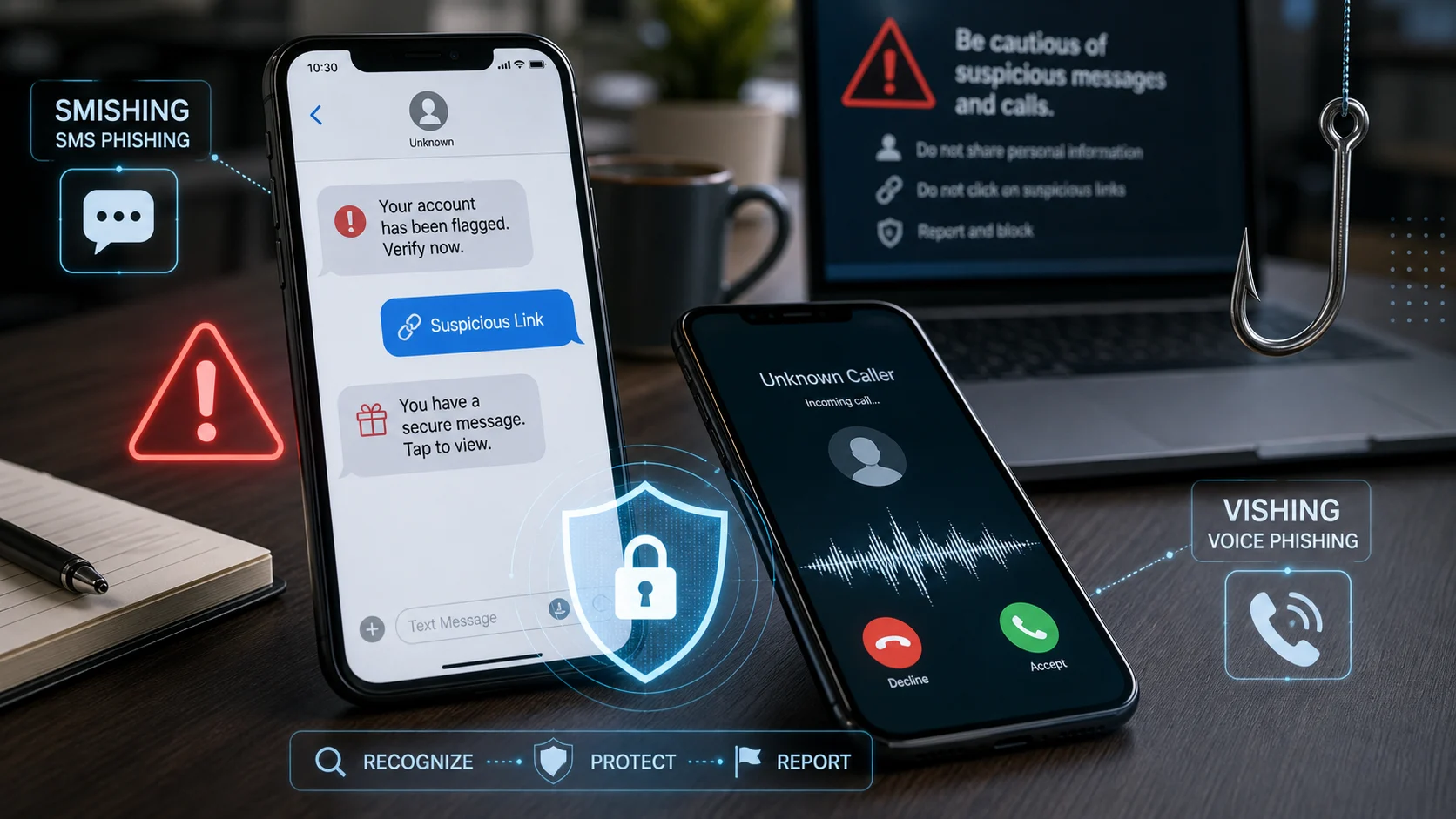
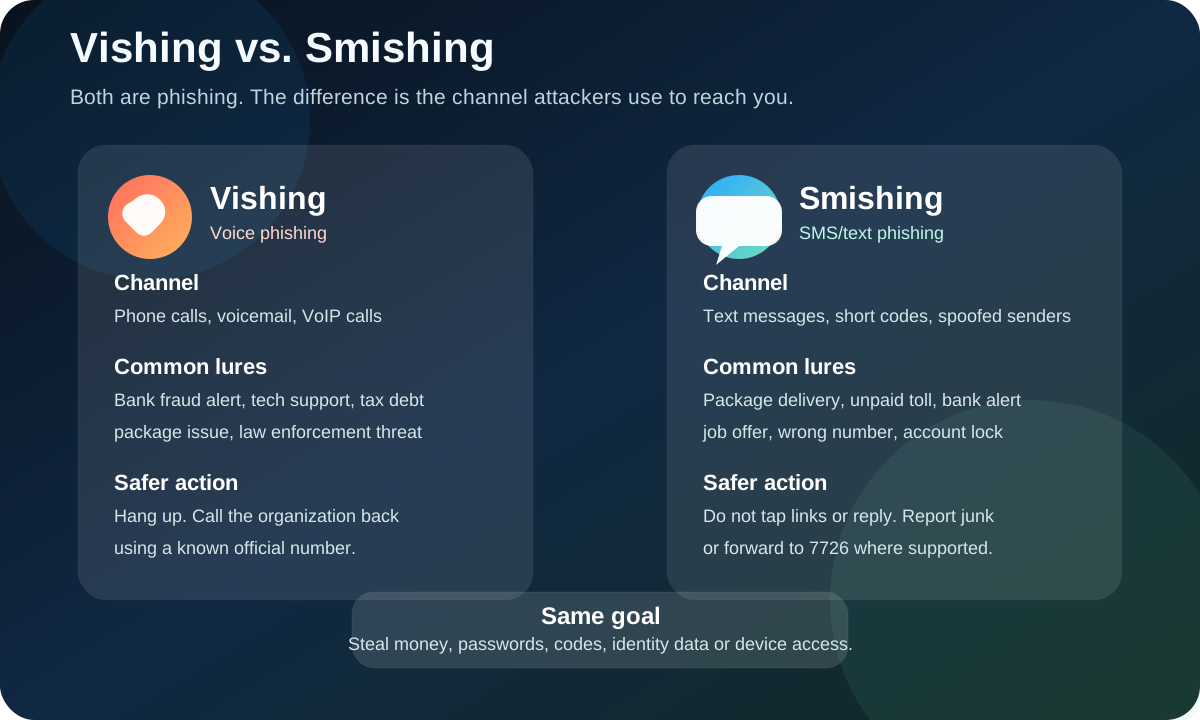
Vishing means voice phishing. It refers to scam calls, voicemail, robocalls or VoIP calls where an attacker pretends to be a bank, company, government agency, delivery service, tech support desk, employer or trusted person to steal money, passwords, one-time codes, identity details or remote access to a device.
Smishing means SMS phishing. It refers to phishing through text messages. A smishing message may claim there is a package delivery problem, unpaid toll, bank fraud alert, locked account, prize, job offer, tax issue or wrong-number conversation. The goal is usually to make you tap a link, reply, call a fake support number, share personal information or pay quickly.
The FBI's public spoofing and phishing guidance puts the difference simply: vishing scams happen over the phone, voicemail or VoIP calls, while smishing scams happen through SMS text messages. Both are phishing. The channel is different, but the social engineering is similar.
The safest rule is practical: if a call or text creates urgency and asks for money, passwords, one-time codes, account numbers, gift cards, crypto, remote access or a link tap, pause. Contact the organization through a known official app, website or phone number instead of using the number or link in the message.
Why this matters now
Voice and text scams work because phones feel immediate. A call can pressure you in real time. A text can sit beside real bank, delivery and family messages on the same lock screen. Attackers exploit that trust.
The latest official U.S. data shows why text-message phishing deserves attention. The FTC said consumers reported losing $470 million to scams that started with text messages in 2024, more than five times the amount reported in 2020. The FTC's top text-scam categories included fake package delivery issues, bogus job opportunities, fake bank fraud alerts, unpaid toll messages and wrong-number scams.
Phone scams remain serious too. The FTC's 2024 Consumer Sentinel reporting said phone calls were the second most commonly reported contact method for fraud, followed by text messages. The FBI's 2025 IC3 report also listed phishing/spoofing as the top complaint category by count.
Artificial intelligence makes the user problem harder, but not impossible. Voice cloning, better scripts and faster message generation can make calls and texts sound more polished. The core defense still holds: do not trust the channel by itself. Verify through a separate, known route.
Vishing vs. smishing
| Term | Meaning | Main channel | Typical action attackers want |
|---|---|---|---|
| Vishing | Voice phishing | Phone calls, voicemail, VoIP, robocalls | Share a code, move money, reveal account data, install remote-access software, stay on the phone |
| Smishing | SMS phishing | Text messages, short codes, spoofed senders, sometimes MMS or RCS-style messages | Tap a link, reply, call a fake number, enter card details, install an app, pay a fee |
| Phishing | The broader category | Email, web pages, calls, texts, messaging apps, social media | Trick you into doing something unsafe |
| Spoofing | A related technique | Caller ID, sender name, email address, website domain | Make the scam look like it came from someone legitimate |
What vishing looks like
A vishing call often starts with authority or fear. The caller may say your bank card was used, your account is locked, your computer is infected, your tax record has a problem, your package is held, your child is in trouble, your business payment is urgent or law enforcement is about to act.
Common vishing scripts include:
- "This is your bank's fraud department. Read me the code we just sent."
- "Your account has suspicious activity. Transfer funds to a safe account."
- "This is tech support. Install this app so we can remove the virus."
- "You missed jury duty and must pay now to avoid arrest."
- "Your delivery has an issue. Confirm your address and card."
- "Your employee, boss or family member needs an urgent payment."
The caller may know your name, phone number, bank, employer, city or recent purchase. That does not prove the call is real. Personal data is often available from breaches, public records, social media or earlier scams.
What smishing looks like
A smishing text tries to compress the scam into a few words and a link, phone number or reply prompt.
Common smishing examples include:
- "Package delivery failed. Update address."
- "Unpaid toll. Pay today to avoid late fees."
- "Bank alert: suspicious transaction. Verify now."
- "Your account is locked. Confirm identity."
- "You have a refund waiting."
- "Hi, is this still your number?"
- "We reviewed your resume. Complete paid tasks today."
The U.S. Postal Inspection Service warns that package-tracking smishing often uses unfamiliar links and asks people to provide personal or financial information. The FTC similarly tells consumers not to click links or respond to unexpected texts, and to contact the company through a real phone number or website if a message might be legitimate.
The warning signs
Treat a call or text as suspicious when it includes any of these signals:
- It asks for a password, one-time code, PIN, full card number, Social Security number or bank login.
- It says you must act immediately or face arrest, account closure, late fees, lost money or legal action.
- It asks you to move money to a "safe" account.
- It asks for payment by gift card, crypto, wire transfer, payment app or cash.
- It asks you to install remote-access software or a "security" app.
- It tells you not to contact anyone else.
- The caller ID or sender name looks familiar, but the request feels unusual.
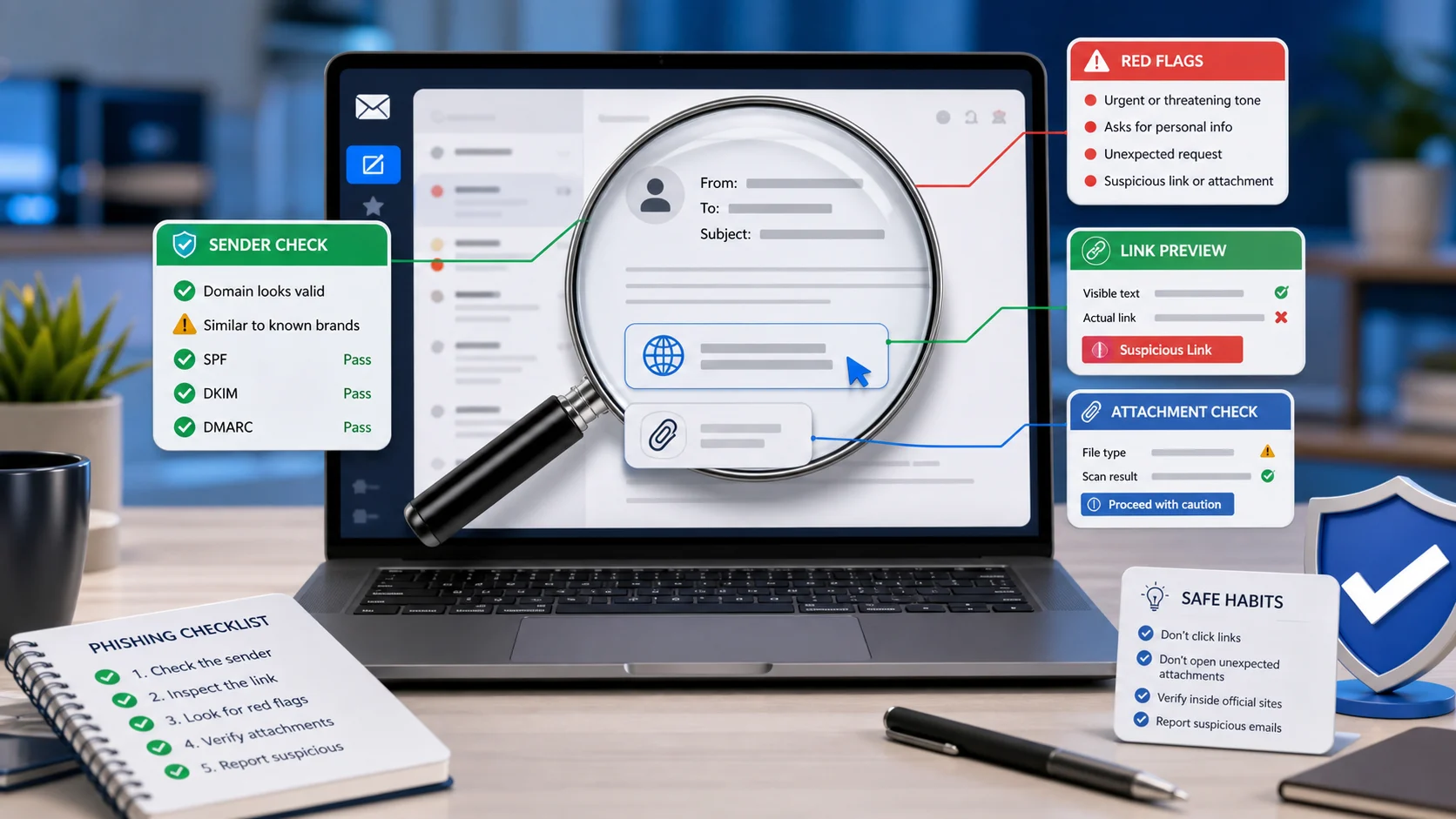
- The link is shortened, misspelled, strange or unrelated to the real organization.
- The message asks you to reply with "Y", "STOP", a code or personal data.
- The caller becomes angry, flattering or threatening when you slow down.
One important point: caller ID is not proof. Scammers can spoof phone numbers and organization names. Text sender names can also be misleading, especially when attackers use lookalike domains, compromised accounts or short links.
How attackers combine vishing and smishing
Many scams now use more than one channel.
A text may say your bank blocked a transaction and ask you to call a number. The call center that answers is fake. A caller may say they are sending you a "verification text" and ask you to read back the code. The code may actually be a real password reset or login approval for your account. An email may include a fake invoice and a phone number, moving the attack into vishing.
This combined style is why users should not ask only, "Is the text real?" or "Is the caller polite?" The better question is: "Can I verify this request through a separate official route?"
What to do during a suspicious call
If you receive a call that asks for sensitive information or urgent payment:
- Do not share passwords, codes, account numbers or identity documents.
- Do not install software or visit a website while the caller directs you.
- Do not press numbers to "confirm" if the robocall feels suspicious.
- Hang up, even if the caller claims you will lose access or face penalties.
- Open the official app or type the known website yourself.
- Call the organization using a number from the back of your card, an official statement, a bill, or the verified website.
- If the caller claimed to be from work, verify through your normal internal channel.
You do not need to be rude or debate the caller. Ending the call is enough.
What to do with a suspicious text
If you receive a suspicious text:
- Do not tap links.
- Do not reply, even with "STOP", unless you are sure the sender is legitimate.
- Do not call phone numbers listed in the message.
- Use your phone's Report Junk or Report Spam option where available.
- In the U.S., forward unwanted or scam texts to
7726where supported by your carrier. - Report scams to the FTC at
ReportFraud.ftc.gov. - If money was lost or a cyber-enabled crime occurred, report to the FBI IC3 at
ic3.gov. - Block the sender after reporting.
If the text might relate to a real delivery, bank account, tax issue, school portal or workplace account, open the real app or website yourself. Do not use the link in the message.
What to do if you clicked, answered or shared information
Act based on what happened.
If you only clicked a link but did not enter information, close the page and do not download anything. If a file or app downloaded, do not open it. Run a security scan and remove suspicious apps or browser extensions.
If you typed a password, change it immediately from the real website or app. Also change it anywhere else you reused it. Turn on multi-factor authentication, preferably app-based or phishing-resistant where available.
If you shared a one-time code, assume the account may be at risk. Change the password, sign out of other sessions, review recovery email and phone settings, and check recent activity.
If you shared card or bank details, contact the bank or card issuer immediately. Ask about card replacement, transaction disputes, account monitoring and blocking future unauthorized payments.
If you sent money, preserve evidence. Save screenshots, phone numbers, text messages, websites, payment receipts, wallet addresses and call times. Report to the payment provider, bank, FTC and IC3 as appropriate.
If you shared a Social Security number, driver's license number or identity documents, consider a credit freeze and use IdentityTheft.gov if someone misuses your identity.
How to report vishing and smishing
Use the reporting route that matches the harm:
| Situation | Where to report |
|---|---|
| Suspicious text with no loss | Phone's report-junk option and 7726 where supported |
| Scam text, call or fraud attempt | FTC at ReportFraud.ftc.gov |
| Cyber-enabled fraud, account takeover, extortion or money loss | FBI IC3 at ic3.gov |
| Package-delivery text impersonating USPS | USPIS reporting guidance and spam@uspis.gov where applicable |
| Tax-related IRS impersonation | IRS phishing and smishing reporting guidance |
| Bank or payment-app impersonation | The real bank or payment provider through its official app or website |
| Workplace account or business payment request | Your security, IT or finance team |
Reporting may not produce an individual response, but it helps carriers, platforms and law enforcement find patterns and block future scams.
How to protect yourself before the next attempt
Set up defenses that reduce damage:
- Use unique passwords stored in a password manager.
- Turn on multi-factor authentication for email, banking, social, payment and work accounts.
- Prefer passkeys or authenticator apps over SMS codes when available.
- Protect your email account first because it controls password resets.
- Enable carrier spam filtering and phone-level unknown-caller filtering if it fits your needs.
- Keep your phone, browser and apps updated.
- Remove old payment methods and recovery phone numbers you no longer use.
- Set bank and card transaction alerts.
- Teach family members that banks, government agencies and tech support do not need passwords or one-time codes.
- Create a family or workplace verification phrase for urgent money requests.
SMS codes are better than no multi-factor authentication, but they are not perfect. A vishing attacker may call you and ask for the code. A smishing link may lead to a fake login page that captures the code in real time. Use stronger MFA where available.
What businesses should teach employees
For employees, vishing and smishing are not only personal scams. They can lead to payroll diversion, help-desk account reset fraud, business email compromise, fake invoice payments, cloud account takeover and data theft.
Companies should train staff to verify:
- Any payment change request.
- Any password reset request made over the phone.
- Any request to read back an MFA code.
- Any executive or vendor message that moves to text.
- Any recruiter, job, tax or benefits message asking for login details.
- Any help-desk call asking for remote access or device approval.
Security teams should make reporting simple. A user who feels unsure should have a fast way to forward a text, report a call, or ask whether a request is legitimate without being blamed for slowing down.
Media: phishing awareness videos
The following CISA Secure Our World videos are useful for basic training and family safety reminders:
FAQ
What do vishing and smishing refer to?
Vishing refers to voice phishing through phone calls, voicemail or VoIP. Smishing refers to SMS/text phishing. Both are social engineering attacks that try to steal information, money, credentials or account access.
Is smishing only SMS?
The term comes from SMS phishing. In everyday use, people may also apply it to similar scam messages sent through MMS, RCS or mobile messaging channels. The safest habit is the same: do not tap links or reply to unexpected urgent messages.
Is vishing the same as robocalling?
Not exactly. Robocalls are automated calls. Vishing is voice phishing. A vishing attempt can be a live call, voicemail, robocall or VoIP call if the goal is to deceive you into unsafe action.
Can caller ID be trusted?
No. Caller ID can be spoofed. A call that appears to come from your bank, local police department, delivery company or employer may still be fake. Call back using a known official number.
Should I reply STOP to a suspicious text?
Only if you know the sender is legitimate. For suspicious scam texts, use report-junk tools, forward to 7726 where supported and block the sender. Replying can confirm your number is active.
What if I gave a scammer a one-time code?
Treat the account as at risk. Change the password from the real site or app, remove unknown sessions, review recovery settings and contact the provider if you see unauthorized activity.
Are AI voice scams vishing?
They can be. If a voice call uses impersonation to trick you into sending money or sharing information, it fits the vishing pattern even if the voice is AI-generated or cloned.
What is the fastest way to verify a call or text?
End the interaction and contact the organization through a separate official route: the app you already use, the website you type yourself, the number on the back of your card, or an internal company directory.
Sources
- FBI: Spoofing and Phishing
- FTC: How To Recognize and Avoid Phishing Scams
- FTC: Top text scams of 2024
- FTC: New FTC Data Show Top Text Message Scams of 2024; Overall Losses to Text Scams Hit $470 Million
- CISA: Recognize and Report Phishing
- USPIS: Smishing: Package Tracking Text Scams
- IRS: IRS warns taxpayers to stay vigilant as texting scams surge
- FBI: 2025 IC3 Annual Report
- FBI IC3: File a Complaint
- CISA YouTube: Recognize and Report Phishing
- CISA YouTube: How to Avoid Phishing!
Before you move on
Consumer scam response. Use this short checklist to turn the article into action.
- Do not reply with OTPs, login codes, or recovery phrases.
- Verify urgent requests through a separate trusted channel.
- Warn contacts quickly if your account may have been used.
This guide is written for practical user safety. For account, platform, or legal decisions, confirm critical steps with the official help center or your service provider.